
Your Instant Inbox: A Quick Guide to Creating Temp Mail

Why You Need to Create Temp Mail in Today's Digital World
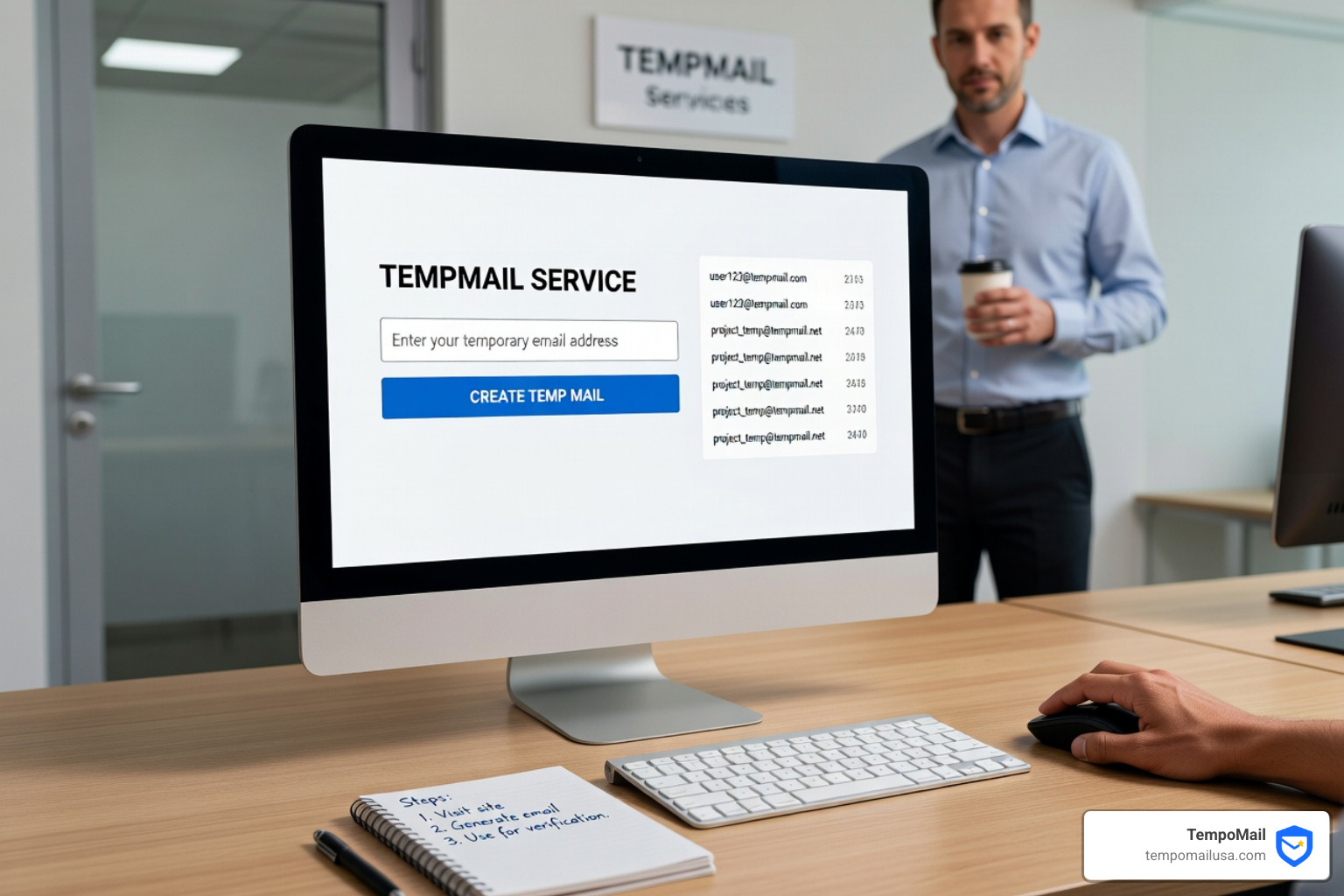
Create temp mail in seconds with these simple steps:
- Visit a temporary email service like TempoMail
- Copy the auto-generated email address displayed on your screen
- Paste it into any sign-up form that requires an email
- Check your temporary inbox for verification emails in real-time
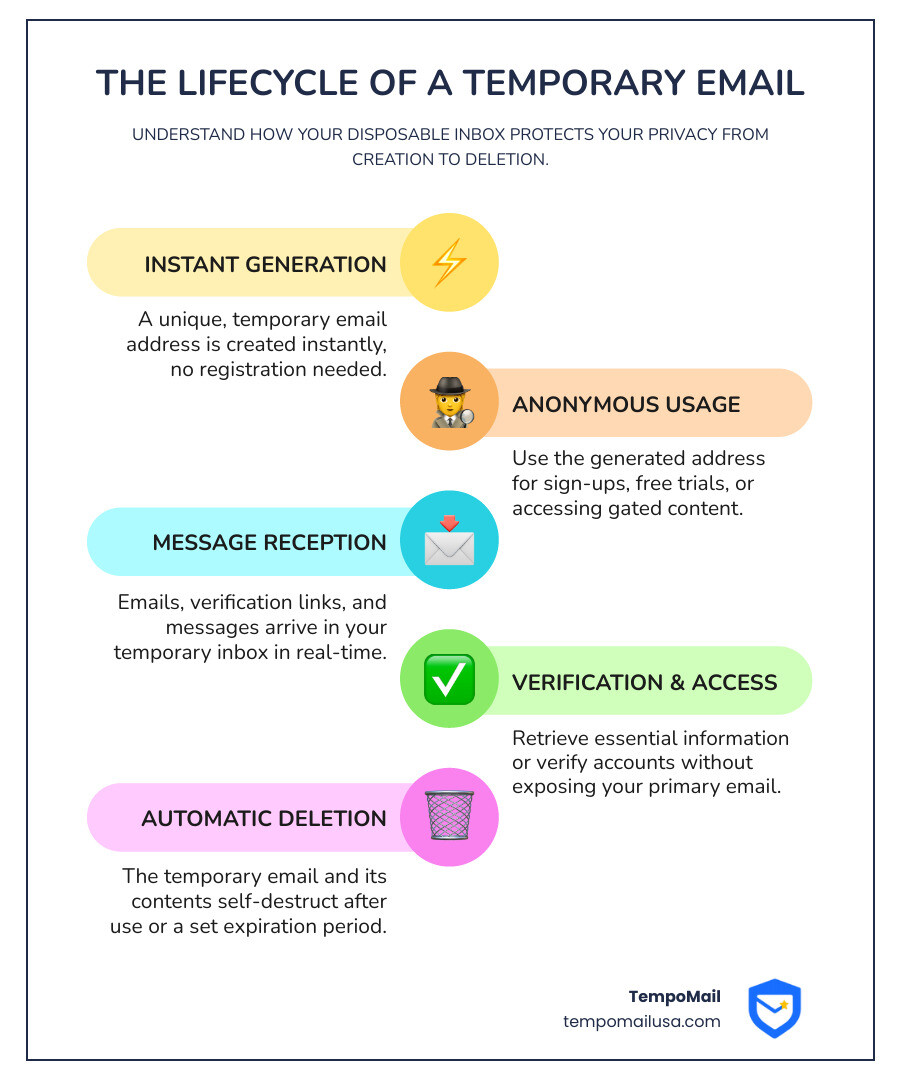
- Let it self-destruct after you're done—no cleanup required
Nearly 99% of all apps and services we sign up for today require an email address. Your email has become your online passport, your digital identity card that you're forced to hand over just to read an article, download a template, or claim a discount code.
But here's the problem: every time you share your real email address, you're opening the door to spam, marketing campaigns, potential data breaches, and unwanted tracking. Some websites sell your email to third parties. Others get hacked, exposing your personal information to bad actors.
Temporary email addresses solve this problem. They act as a clean, anonymous buffer between your real identity and the internet. You can receive messages, verify accounts, and access gated content without ever revealing your personal address. When you're done, the temporary email self-destructs—taking all traces of that transaction with it.
The best part? You don't need to register, remember passwords, or manage another account. You simply visit a temporary email service, and a working inbox appears instantly on your screen.
I'm Mohammad Waseem, and I've built and managed temporary email platforms and web-based tools focused on privacy, performance, and user experience. Through extensive testing and optimization, I've learned what makes a reliable service to create temp mail that actually protects your identity while staying simple to use.
Understanding Temporary Email Addresses
At its core, a temporary email address—often called a disposable, throwaway, burner, or transitory email—is a short-term mailbox designed for immediate use. Unlike your primary Gmail or Outlook account, which is tied to your identity and intended to last for years, a temp mail address is built to be discarded.
Think of it as a digital "privacy mask." When you visit a website that demands an email address before letting you see its content, you don't have to hand over your "true face" (your personal inbox). Instead, you use a temporary proxy. This address is fully functional; it can receive HTML emails, attachments, and verification links just like a regular account. However, it lacks the permanent baggage of a traditional inbox.
The beauty of this system lies in its simplicity. Most people use it as an anonymous buffer. Whether you call it a "burner email" (referencing the concept of burner phones) or a "disposable email address" (DEA), the goal is the same: to interact with the web on your own terms. To truly understand the importance of these tools, it helps to look into the broader context of email privacy best practices, which emphasize that standard email is often sent unencrypted and can be intercepted. By using a temporary address, you ensure that even if a message is intercepted, it contains no link to your actual identity.
The primary benefits to create temp mail
Why are millions of people choosing to create temp mail every day? The benefits go far beyond just "avoiding a few emails."
- Total Spam Avoidance: This is the most common reason. Retailers, forums, and whitepaper sites are notorious for adding you to "newsletter" lists without your explicit consent. A temp mail address acts as a black hole for these marketing blasts.
- Phishing Protection: Cybercriminals often use scraped email lists for phishing attacks. If you never give your real email to untrusted sites, your primary inbox remains invisible to these scammers.
- Data Breach Firewall: Company databases are hacked every day. If you used a temporary email to sign up for a service that gets breached, the hackers only get a "dead" address. Your real Personally Identifiable Information (PII) remains safe behind the firewall provided by TempoMail USA.
- Inbox Cleanliness: We all strive for "Inbox Zero." By using temporary addresses for one-off tasks—like downloading a PDF or getting a coupon code—you keep your personal inbox reserved for important communications from friends, family, and work.
- Anonymous Browsing: Sometimes you just want to participate in a forum or a chat room without your history being tracked back to your real identity. Temp mail provides the anonymity needed for true digital freedom.

How to Create Temp Mail for Instant Access
The process of generating a temporary address should be effortless. In cybersecurity, we often say that if a security tool is hard to use, people won't use it. That’s why we’ve designed the experience to be instantaneous.
When you create temp mail through a professional service, you shouldn't have to fill out a form or provide a backup email. The moment you land on the page, the system should have an inbox waiting for you. It’s a "zero registration" model. You don't need a password because the session is tied to your browser. This allows for real-time message delivery—as soon as the external service sends the verification mail, it pops up in your temporary dashboard.
For those who need more than just a browser-based solution, such as software engineers or system administrators, we offer advanced developer tools and API integration with TempoMail. This allows for the programmatic generation of thousands of addresses for automated testing or integration into your own privacy-focused applications.
Step-by-step guide to create temp mail
If you’re ready to take control of your digital footprint, follow this simple guide:
- Step 1: Visit TempoMail: Steer to our homepage. There is no "Sign Up" button to click.
- Step 2: Copy the Address: You will see a randomly generated email string (e.g.,
user742@domain.com). Click the "Copy" button to save it to your clipboard. - Step 3: Paste in Form: Go to the website asking for your data and paste the temporary address into the email field.
- Step 4: Verify the Link: Switch back to the TempoMail tab. Within seconds, the email will appear in the "Inbox" section. Click it, find the verification link, and complete your sign-up.
- Step 5: Auto-Deletion: Once you have what you need, you can simply close the tab. The mailbox and all its contents will be permanently deleted after a set period (usually 10 minutes to an hour, depending on the settings), ensuring no data is left behind.
Practical Scenarios for Temporary Inboxes
When exactly should you create temp mail? While the possibilities are endless, here are the most common real-world use cases where a temporary inbox is a lifesaver.
- Snagging Coupon Codes: Many e-commerce sites offer a "10% off your first order" if you sign up for their newsletter. Use a temp mail to get the code, use it at checkout, and avoid the lifetime of marketing emails that usually follow.
- Accessing Gated Content: Want to read a "Premium" article or download a "Free" template that requires an email? Don't pay with your privacy. Use a throwaway address.
- Store Loyalty Cards: Many physical stores ask for an email for digital receipts or loyalty points. These databases are frequently targeted by hackers. Using a secure alias protects your real inbox from these potential breaches.
- Classified Ads: If you're selling a bike on a local marketplace or looking for a roommate, you don't want your personal email address floating around in public view. A burner email lets you communicate safely until you're ready to trust the other person.
- Free Trials: Want to try a new streaming service or a design tool for 7 days? A temporary email lets you explore the service risk-free without the "subscription trap" reminders hitting your main account.
| Feature | TempoMail Free | TempoMail Premium |
|---|---|---|
| Address Generation | Instant / Random | Custom Aliases |
| Validity Period | 10 - 60 Minutes | Extended / Permanent |
| Multiple Inboxes | 1 at a time | Unlimited |
| Domain Options | Standard | Custom Domains |
| API Access | Limited | Full Access |
Why developers create temp mail for testing
Software developers and Quality Assurance (QA) testers are among the most frequent users of temporary email services. If you are building an app that requires email verification, you can't keep using your personal address to test the "Sign Up" flow.
Developers create temp mail to:
- Test Account Creation: Ensure that the "Welcome" email and verification links are formatted correctly across different devices.
- Create Dummy Accounts: Populate a database with 100 "test users" without needing 100 real email accounts.
- Automate Workflows: Use API tools to automatically receive and parse emails during end-to-end (E2E) testing.
- Bypass Email Checkers: Some sites use automated scripts to block "obvious" temp mails. High-quality services like TempoMail provide addresses that pass these validity checks, making them perfect for testing.
Risks, Limitations, and FAQs
While temporary emails are incredible tools for privacy, they aren't meant for every situation. Understanding the limitations is just as important as knowing the benefits.
Standard email is inherently insecure. As noted in the research, most email is sent unencrypted. For truly sensitive communication, you should look into information on email encryption like PGP. Temporary mail is a privacy tool (hiding who you are), not necessarily a high-security vault for long-term secrets.
How long do temporary emails last?
The lifespan of a temporary email varies. Some services, often called "10 Minute Mail," have a strict countdown timer. Once the timer hits zero, the mailbox is wiped. At TempoMail, we offer more flexibility. Your inbox stays active as long as your browser session is open. For our premium users, we offer "extended validity," allowing you to keep an address for days or even weeks if you're working on a longer project.
Can I recover a deleted temp mailbox?
No. And this is by design. One of the core security features of a temporary email is that it is non-recoverable. Once the address expires or you manually delete it, the data is gone for good. This ensures that even if someone were to find the address later, they could never access the messages you received. It is the ultimate security buffer.
When should I avoid using a temporary address?
You should never use a temporary email for:
- Banking or Financial Services: You need a permanent address for statements and security alerts.
- Important Government Accounts: Anything related to taxes, healthcare, or legal matters requires a permanent record.
- Main Social Media Accounts: If you lose your password, you will need access to the original email to recover the account. If that email was a 10-minute burner, you're locked out forever.
- Sensitive Transactions: Any exchange of highly personal or confidential information.
Conclusion
In an era where your data is the most valuable commodity on earth, taking a moment to create temp mail is a simple yet powerful act of digital self-defense. At TempoMail USA, we believe that privacy shouldn't be a luxury or a technical challenge. Our identity proxying services are designed to act as a firewall for your PII, allowing you to enjoy the best of the internet without the "spam tax."
Whether you're a developer testing a new app, a shopper looking for a discount, or simply someone tired of an overflowing inbox, temporary mail gives you the control you deserve. Ready to take the next step in professional privacy management? Protect your privacy with a custom domain and turn your temporary solution into a permanent shield. Stay safe, stay anonymous, and keep your primary inbox for the things that truly matter.
Need a disposable temporary email?
Protect your real inbox from spam and promotional clutter instantly and free.
Received a suspicious email, text, or charge alert?
Verify whether the sender domain is disposable, spoofed, or unverified before clicking links.