
What Is a Secure Email Gateway? The Checkpoint Every Work Email Passes Through (and What It Can't See)
What Is a Secure Email Gateway? The Checkpoint Every Work Email Passes Through (and What It Can't See)
If you have ever wondered why an email you sent to a company bounced with a vague "blocked by policy" message, or why a perfectly ordinary verification code never arrived at a work address, there is a good chance you met a secure email gateway — and never knew it was there. That is the point of the thing. It sits between the internet and a company's mail server, reads every message that tries to pass, and decides what gets through. When it works, nobody notices. When it doesn't, the symptoms look like someone else's bug.
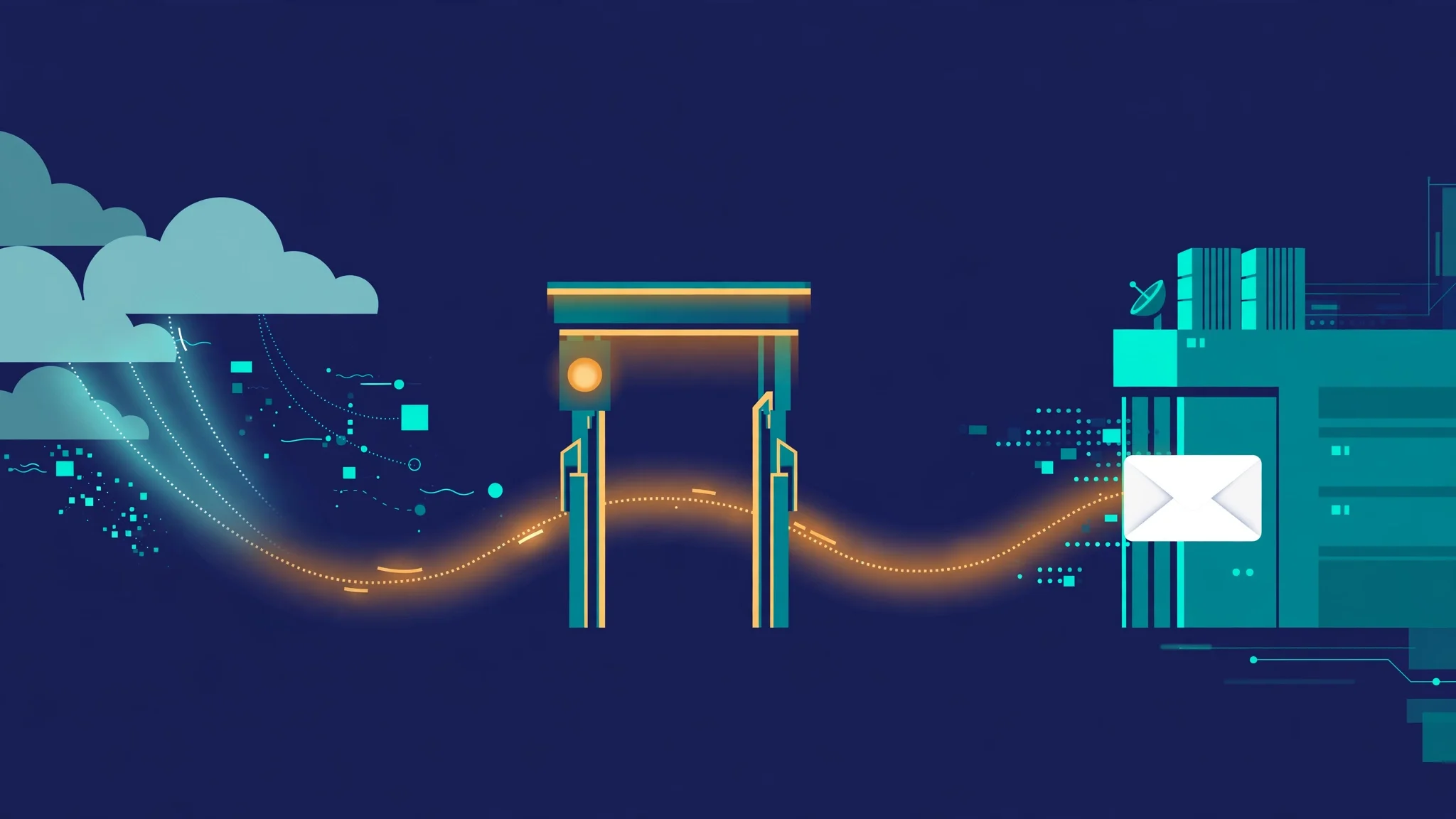
Every vendor definition of a secure email gateway says roughly the same sentence: a solution that inspects inbound and outbound email for spam, malware, phishing, and policy violations before messages reach their destination. That sentence is accurate and almost useless, because it describes what the product does without explaining the one decision that defines it — where it sits. A gateway is not a filter you bolt onto a mailbox. It is a checkpoint you put in the road, and everything about how it behaves follows from that position.
This post is not a vendor page. I am not selling you a gateway, and I will tell you plainly where the technology stops working, including the cases where it actively makes your life worse. What follows is the version I wish someone had handed me before I spent a week untangling why verification emails were vanishing at a client's domain: how the checkpoint is built, the five checks a message goes through in order, a real DNS lookup showing the redirect in the wild, and an honest answer to whether you need one at all.
The one picture that matters: the road, not the mailbox
Most email security products live inside the mailbox. They connect to Microsoft 365 or Google Workspace through an API, read messages that have already been delivered, and clean up afterwards. A secure email gateway does the opposite. It stands in the mail flow itself, between the sender and the recipient's server, and nothing reaches the inbox without passing through it first.
Picture the ordinary path first. Someone sends an email to you@company.com. Their mail server looks up company.com's MX record — the DNS entry that says where mail for this domain goes — and delivers the message straight to the company's mail server. The server drops it in your inbox. Done.
Now add the gateway. The company changes its MX record so it points at the gateway provider instead of its own mail server. The sender's server now delivers the message to the gateway. The gateway inspects it, and only then forwards the clean ones to the real mail server. Your inbox never sees the messages the gateway rejected, because they never reached your server at all. Outbound mail takes the same road in reverse: your message goes to the gateway first, gets checked against the company's rules, and only then leaves for the internet.
That single change — one DNS record — is the whole architecture. It is also why a gateway is powerful and why it is limited in exactly the ways I will get to below. A checkpoint can only inspect what passes through it. Anything that never crosses the road is invisible to it.
I checked the MX records myself, and the vendors eat their own cooking
It is easy to describe an MX redirect in the abstract. I wanted to see one, so tonight I looked up the MX records of three domains with a plain DNS query.
The results were exactly what the theory predicts. tempomailusa.com — this site — points its MX record at itself. No gateway; mail comes straight to its own server. Proofpoint's own domain, proofpoint.com, points its MX records at mx0a-00148501.pphosted.com and mx0b-00148501.pphosted.com — Proofpoint's hosted gateway service. Mimecast does the same thing with its own product: mimecast.com routes inbound mail through service-alpha-inbound-a.mimecast.com and service-alpha-inbound-b.mimecast.com.
Two things are worth noticing in those three lines. First, the gateway vendors run their own mail through their own gateways, which is the minimum you should expect from a security company and, frankly, not something every security vendor does with its own products. Second, the redirect is visible to anyone who asks DNS. You do not need special access to tell whether a company uses a gateway — the MX record says so in public. That visibility is also the reason gateway behaviour leaks into other people's problems: when a gateway rejects or delays your email, the bounce or the silence is the only evidence you get, and the gateway's name is usually nowhere in it.
Follow one email through the gate: the five checks, in order
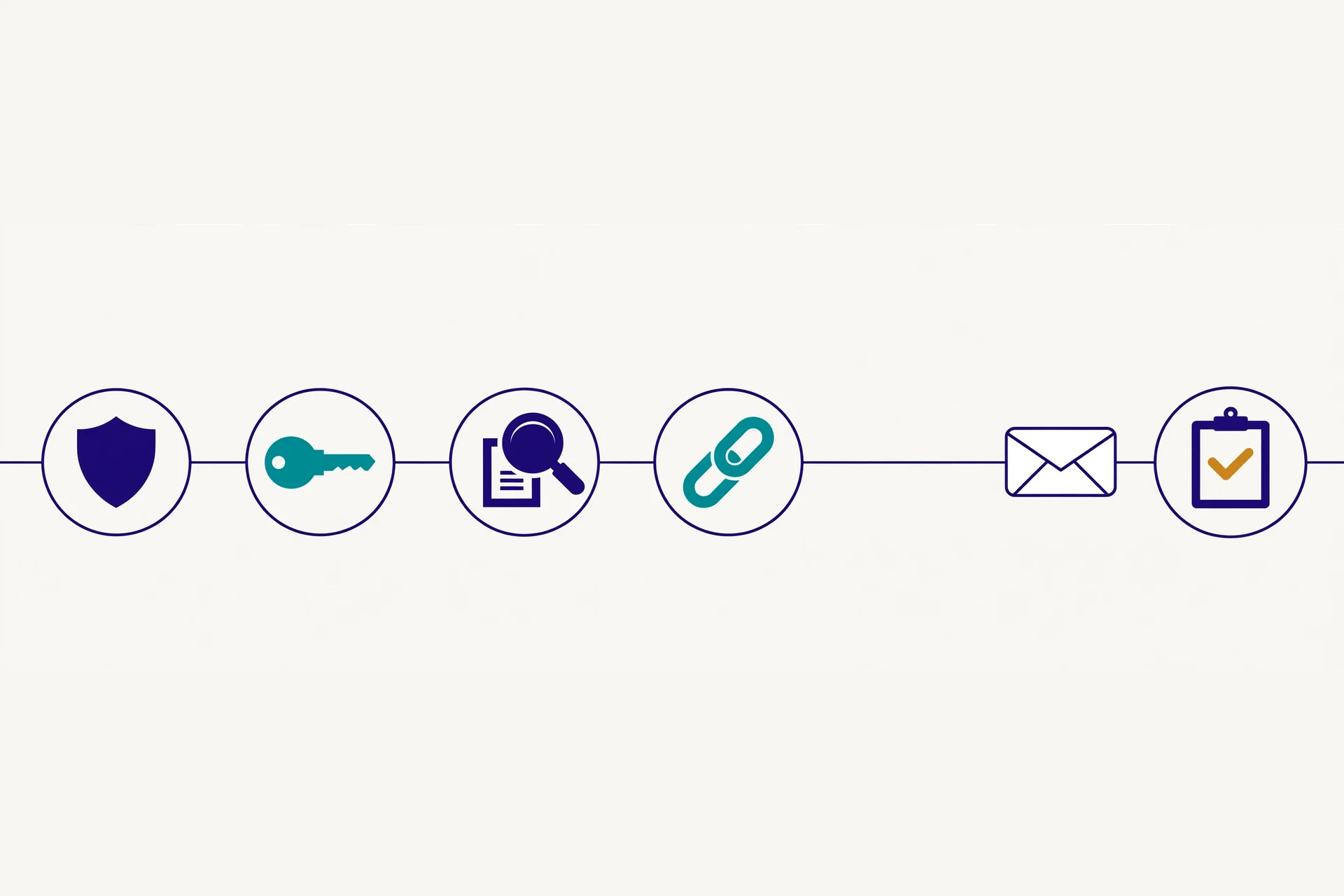
A gateway does not run one test on a message. It runs a sequence, and the order matters, because a message that fails early never reaches the later, more expensive checks. The exact lineup varies by vendor — Proofpoint, Mimecast, Barracuda, and Microsoft's Exchange Online Protection all arrange the furniture differently — but the five stages below are the shape almost every gateway follows. I am describing them in the order a message actually meets them.
1. Connection reputation. Before the message body is even read, the gateway looks at who is knocking. The sending server's IP address is checked against reputation lists and blocklists: has this IP sent spam before, is it on a residential range that should never send mail directly, does it belong to a known botnet? A bad reputation ends the conversation here, at the SMTP connection itself, which is cheap and fast. This is also the stage where legitimate senders get hurt most often — a shared hosting IP with one bad tenant can tar every sender on it.
2. Authentication: SPF, DKIM, and DMARC. Next the gateway checks whether the sender is who the message claims to be. SPF asks whether the sending server is allowed to send for the domain in the return address. DKIM checks a cryptographic signature on the message against a public key in DNS. DMARC ties the two together and tells the receiver what to do when they fail. A message that fails all three and comes from a domain with a strict DMARC policy is phishing until proven otherwise. A message that passes all three is not automatically safe — plenty of real phishing comes from compromised accounts on authenticated domains — but the gateway now knows the sender is real, which changes what the later checks look for.
3. Content and attachment scanning. Now the gateway opens the message. Antivirus signatures catch known malware. Heuristic analysis looks for the shape of malicious content — an invoice attachment that is actually an executable, a Word document with macros that reach out to the internet, a PDF with an embedded script. Sandboxing, where the gateway actually runs the attachment in an isolated virtual machine and watches what it does, is the expensive version of this check, and it is the one vendors charge the most for. The trade-off is time: sandboxing a file takes seconds to minutes, which is why some gateways hold suspicious attachments and deliver the message body first.
4. Link inspection and rewriting. Links get special treatment because the link in the email is rarely the danger — the page it leads to is. Many gateways rewrite every URL in a message to point through their own service, so that when the recipient clicks, the destination is checked at that moment, not just when the message arrived. This is the feature that catches the phishing page that was clean at 9 a.m. and weaponised by noon. It is also the feature users complain about most, because rewritten links look strange, break in forwarded messages, and occasionally turn a legitimate link into a warning page.
5. Policy and data loss prevention. Finally, the gateway applies the company's own rules: does this outbound message contain a credit card number, a customer database export, a confidential document heading outside the company? Outbound policy enforcement is the half of the gateway most articles skip, and it is the half that matters most to the company buying it — it stops employees, and compromised employee accounts, from using the company's own mail server to attack someone else or leak data. A gateway that only filtered inbound mail would leave the company as an open relay for anyone who got a password.
A message that passes all five is forwarded to the mail server and delivered. A message that fails is blocked, quarantined, tagged, or — in the case of a suspicious link — delivered with the link neutered. What the recipient sees depends entirely on the policy the administrator chose, which is why two companies running the same gateway can produce completely different experiences for the same sender.
If you want to see where each of these checks sits in the longer journey of a message, the step-by-step walk in our secure email protocols guide follows a single email from send to delivery and shows exactly which protections apply at each hop. The gateway is one stop on that road, not the road itself.
What a gateway can't see: the honest limits

Here is where vendor pages go quiet, and where you should pay the closest attention, because the limits decide whether a gateway is the right purchase or an expensive way to feel safe.
Internal mail never crosses the road. A gateway inspects mail that flows between the internet and the company. An email from one employee to another, inside the same Microsoft 365 tenant or Google Workspace domain, never leaves the platform and never passes the gateway. That is exactly the mail a compromised account uses to spread laterally — the attacker logs in as a real employee and emails colleagues from the inside. The gateway sees none of it. This is the single biggest reason the industry has spent the last five years building API-based tools that live inside the mailbox: they can see the internal mail the gateway cannot. We compared the two approaches in detail in our secure email API post, and the short version is that a gateway is a checkpoint and an API tool is a guard that stays in the building — they cover different ground, and the serious buyers run both.
Authentication is not identity. SPF, DKIM, and DMARC prove a message came from an authorised server for a domain. They do not prove the human who sent it is trustworthy. Business email compromise — the attacker impersonating a CEO or a supplier and asking for a wire transfer — usually arrives from a real, authenticated account, either compromised or a look-alike domain the victim has never seen. The gateway checks the paperwork and waves it through, because the paperwork is in order. Catching BEC takes behavioural analysis — does this sender normally ask for wire transfers, does this request match their usual language — and that is a different product from a gateway, however the brochure phrases it.
Encrypted attachments are a blind spot, by design. A gateway cannot scan what it cannot read. An encrypted ZIP, a password-protected Office document, or a link to a file on a sharing service all pass through the content scanner as opaque blobs. Some gateways respond by blocking encrypted attachments outright, which is effective and unpopular in exactly equal measure. Others let them through and hope the endpoint antivirus catches what they could not. Either way, the attacker knows this too, which is why "here is the password for the attached file" is one of the oldest tricks in phishing. Our encrypted email drawbacks post covers the other side of this coin — encryption protects a message from everyone, including the security tools meant to protect you.
It can break things that are not email security. This is the limit that will actually cost you a morning. Gateways interfere with automated mail in ways nobody planned for, and email verification is the clearest example. A verification service sends a test message or opens an SMTP session to check whether an address exists; a gateway can answer for every address, delay the check, or block the probe entirely, and the verifier reports a confident answer that is simply wrong. We wrote about the checks behind what email verification is and the methods in how to verify an email address — and the gateway is the uninvited third party in both stories. If you have ever watched a verification code vanish into a work inbox, check whether the domain routes through a gateway before you blame the sender.
Do you actually need one? A decision, not a sales pitch
Most people asking what a secure email gateway is do not need to buy one. That sounds like a strange thing to write in an article about gateways, but it is the honest answer, and it is the reason this post exists instead of a comparison table with affiliate links.
You, personally, almost certainly do not. If your email lives at Gmail, Outlook.com, or iCloud, you already have a gateway. Google and Microsoft run enormous gateway infrastructure in front of their consumer mail — spam filtering, malware scanning, phishing detection, link rewriting — and you cannot buy a better one to put in front of it, because you do not control the MX records. Your job is the other end of the problem: keep your own address out of breach lists and sign-up forms, which is the job a temporary email address is actually for. A gateway protects a domain. A disposable inbox protects a person.
A small business on Microsoft 365 or Google Workspace probably does not either. Exchange Online Protection comes with Microsoft 365, and Gmail's filtering comes with Google Workspace. Both are gateways in the true sense — they sit in the mail flow and inspect before delivery. The question is not whether you have a gateway, but whether the built-in one is enough, and for a team of ten people with normal mail habits, it usually is. The money is better spent on the thing no gateway provides: making sure a compromised account cannot do damage, which means multi-factor authentication everywhere and a short session lifetime.
A mid-size company, a regulated business, or anyone handling other people's sensitive data — that is where the conversation gets real. The triggers are specific: you need outbound data loss prevention because your staff handle financial or medical records; you need attachment sandboxing because your industry is targeted; you need detailed quarantine control because a false positive costs you a client; or you need a single policy across a messy mix of mail systems after a merger. If none of those sentences describes you, a gateway is a solution in search of a problem.
| Situation | Gateway verdict |
|---|---|
| Personal Gmail / Outlook.com / iCloud | No — already included, you don't control the MX records |
| Small team on Microsoft 365 / Google Workspace | Probably no — built-in EOP / Gmail filtering covers it |
| Regulated industry (health, finance, legal) | Yes, likely — outbound DLP and audit trails matter |
| Mixed mail systems after a merger | Yes — one policy across all of them |
| High-value phishing target (executives, finance team) | Yes, plus an API-based tool for internal mail |
| Heavy outbound email (invoices, statements) | Yes — outbound policy stops your domain being abused |
If you do buy one: the five questions that actually matter
Vendor demos all show the same dashboard catching the same phishing email. Ignore the demo. Ask these five questions instead, and judge the answers against your own mail, not the sales deck.
1. What is the false positive rate on mail like ours? Every gateway catches spam. The difference between a good one and a bad one is how much legitimate mail it holds. Ask for a trial on your real mail flow and count what lands in quarantine that should not be there. A vendor that will not trial on live mail is telling you something. 2. How does it handle mail that is already inside? If the answer is "it doesn't — that's a different product," believe them, and budget for that product too, or accept the gap knowingly. Internal mail from compromised accounts is the attack that gateways miss by design. 3. What happens to encrypted attachments? Blocked, stripped, delivered with a warning, or passed through unscanned — there is no free answer, but there must be a deliberate one. "We scan them" without explaining how is not an answer. 4. How are links treated at click time, not just at delivery? A gateway that only checks links when the message arrives is fighting yesterday's phishing page. Click-time checking is the feature that earns its keep against fast-moving campaigns. 5. Who owns the quarantine, and how fast can they release from it? A gateway that holds a client's invoice in quarantine until an administrator checks a dashboard on Monday morning is a business problem, not a security feature. Self-service release for trusted senders, with an audit trail, is the difference between a tool your staff tolerate and one they route around.
FAQ
What is a secure email gateway (SEG)? A secure email gateway is a security checkpoint that sits in the mail flow between the internet and an organisation's mail server. The organisation points its domain's MX record at the gateway, so every inbound and outbound message passes through it for spam, malware, phishing, and policy checks before delivery. Its defining feature is that inline position — it inspects mail in transit, before it reaches any inbox.
How does a secure email gateway work? It works by redirecting mail through itself via a DNS MX record change, then running each message through a sequence of checks: sender reputation, SPF/DKIM/DMARC authentication, content and attachment scanning (sometimes including sandboxing), link inspection and rewriting, and outbound policy or data loss prevention rules. Clean messages are forwarded to the real mail server; the rest are blocked, quarantined, or tagged.
Is a secure email gateway the same as a spam filter? No. A spam filter is one component of a gateway. A gateway also handles malware, phishing, authentication checks, link rewriting, sandboxing, and outbound policy enforcement. Calling a gateway a spam filter is like calling a border checkpoint a metal detector — true, but it misses most of the job.
Do I need a secure email gateway for Gmail or Outlook? No. Consumer Gmail, Outlook.com, and iCloud already run gateway infrastructure in front of your mail, and you do not control the MX records needed to add your own. Businesses on Microsoft 365 get Exchange Online Protection built in, and Google Workspace includes Gmail's filtering. A separate gateway makes sense for organisations with regulatory, DLP, or multi-system needs, not for individual users.
What is the difference between a secure email gateway and API-based email security? A gateway sits in the mail flow and inspects messages before delivery; it cannot see mail that never leaves the platform, like internal messages between colleagues. API-based security connects directly to the mailbox platform and can act after delivery — including removing messages that were already delivered and opened. They cover different ground, and larger organisations increasingly run both.
Can a secure email gateway block legitimate email? Yes, and it does regularly. False positives are the gateway's most common failure: a legitimate invoice held in quarantine, a verification code that never arrives, a sender on a shared IP tarred by a bad neighbour. The quality of a gateway is measured as much by what it lets through as by what it blocks, which is why a trial on your real mail flow matters more than any demo.
The bottom line
A secure email gateway is a checkpoint, not a cure. It earns its place by standing in the road and inspecting every message before it reaches your server — and that position is both its power and its limit. It stops the spam, the malware, and the crude phishing at the door, and it enforces the rules on the way out. It cannot see the mail that never crosses the road, it cannot judge whether an authenticated sender is honest, and it cannot read what is encrypted.
If you run a domain that other people's trust depends on, that checkpoint is worth having, and worth buying well. If you are one person with a Gmail account, you already have one, and the thing you actually need is a way to keep your real address out of the places that get breached and sold — which is a different tool for a different job. Know which side of the road you are on, and buy accordingly.
Need a disposable temporary email?
Protect your real inbox from spam and promotional clutter instantly and free.
Received a suspicious email, text, or charge alert?
Verify whether the sender domain is disposable, spoofed, or unverified before clicking links.