

Temp Mail for Facebook Signup Verification: The Honest 2026 Reality
Most temp-mail guides describe Facebook signup as a single gate: paste a disposable address, grab the code, walk in. That description was never quite true, and in 2026 it is actively misleading. Facebook does not have a signup gate. It has a hallway, and the email code is only the first door in it. People who plan for one door get through it, celebrate, and then meet the second, third, and fourth doors weeks later — usually at the worst possible moment, from a new phone, with no way back.
I am going to walk that hallway in order, because the order is the whole story. Each check Facebook runs is a different kind of filter, temp mail interacts with each one differently, and the failure that actually costs people their accounts is not the one at the front door.
Layer by layer: the five checks, in the order Facebook runs them
Facebook's verification stack, as users actually encounter it, runs roughly like this. Not every account meets every layer, and that unevenness is part of the trap — an account can sail through signup and meet layer four a month later.
Layer one: the email code. You enter an address, Facebook sends a confirmation code or link, you enter it. This is the only layer temp mail touches, and it is the only layer most guides cover. If the address is on a disposable-domain blocklist, the form may reject it outright or — worse — accept it and never send anything. Either way, this layer decides nothing about the account's future.
Layer two: the phone number. Facebook asks for a mobile number, sometimes at signup, sometimes later, and sometimes only after a risk trigger. A phone number is a durable recovery channel in a way an email address is not, and Facebook treats it that way. An account with no phone attached is an account with one fewer way back in.
Layer three: the device and behavior check. Facebook watches the signup the way a bouncer watches a walk-in: the IP address and its reputation, the device fingerprint, how fast the form was completed, whether the account immediately starts adding friends or joining groups at machine speed. Datacenter VPN addresses and rapid-fire actions are the classic triggers. This layer is invisible when you pass it and unmistakable when you fail it — the account gets frozen pending review, or the next login demands extra proof.
Layer four: photo identification. For accounts flagged as suspicious, or for recovery of an account Facebook doubts, the platform can ask for a government-issued photo ID. This is the layer where every disposable-email strategy ends, full stop. No inbox, temporary or otherwise, produces a photo ID. An account that reaches this layer with no phone and no access to its email is not delayed. It is finished.
Layer five: friend confirmation and social proof. Facebook can ask you to identify photos of friends, or confirm your identity through people connected to the account. A real account with real friends passes this almost without thinking. A burner account with three friends, two of them also burners, does not. This layer is why a temp-mail Facebook account ages so badly: the longer it lives, the more Facebook expects it to look like a person, and a disposable identity looks less like a person every week.
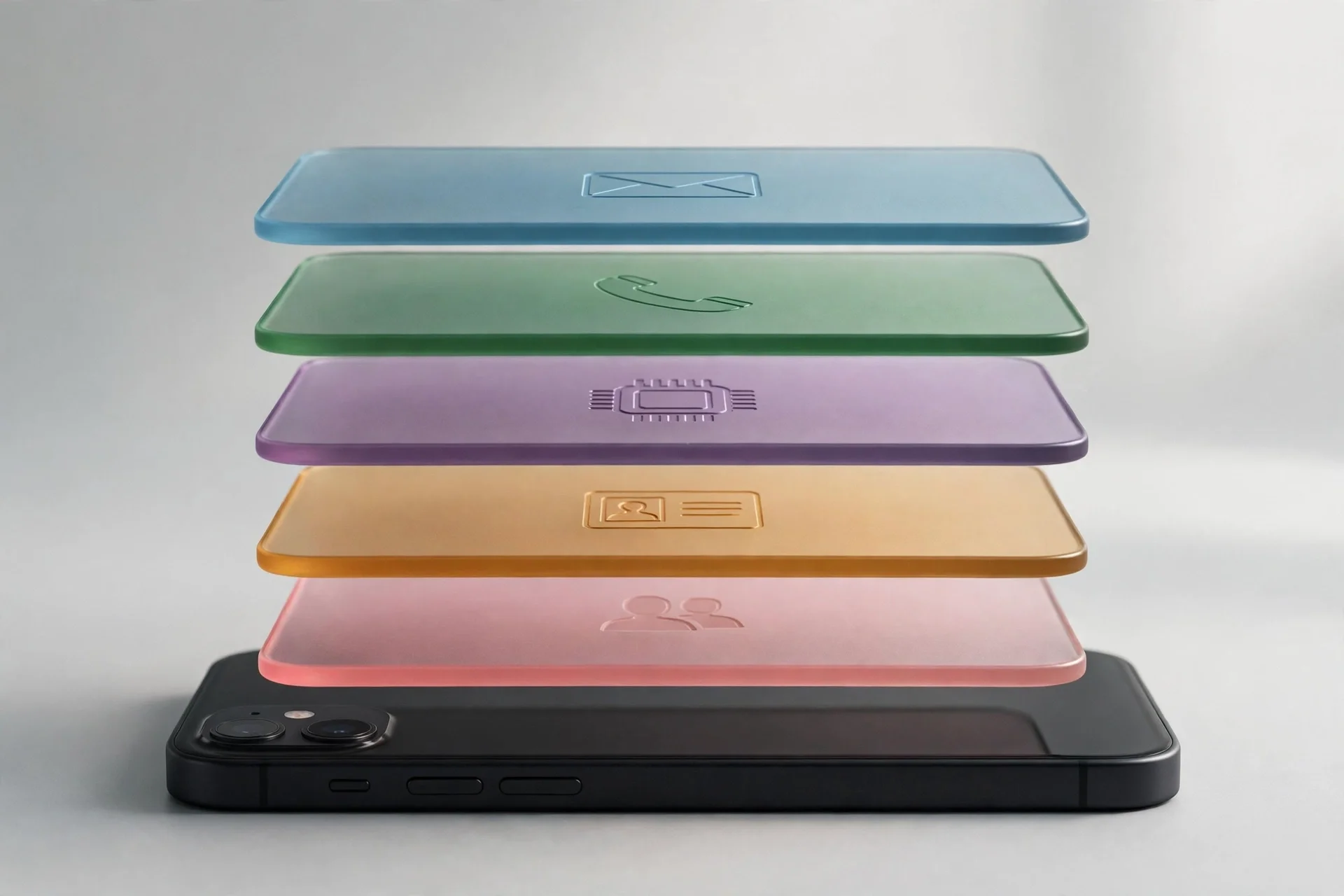
My opinion, stated without hedging: if you only remember one thing from this article, remember that the email code is the cheapest check Facebook owns. Planning a Facebook account around the email code is like planning a house around the doormat. The house has four more rooms, and you will live in all of them.
Where the email step actually breaks
Even layer one is not as simple as the guides pretend. There are two distinct ways it fails, and they need different responses.
The loud failure is blocklist rejection. Facebook checks the domain against lists of known disposable providers, and the famous domains — the ones every guide names — are on every list that matters. The form either refuses the address or accepts it and silently never sends the code. This is the same machinery that rejects temp addresses across the web, and the blocklist system behind those rejections explains why switching to a fresher, lesser-known domain sometimes works and sometimes does not. A fresh domain buys time, not immunity; usefulness is detectability, and a domain that works reliably gets listed reliably.
The quiet failure is delivery death. The form accepts the address, the code is supposedly sent, and nothing arrives — or it arrives after the validity window has closed. Codes from major platforms expire in minutes, and temp inboxes that refresh slowly or providers with delivery delays lose that race constantly. The six gates a verification code passes will tell you which gate killed yours, but the practical rule is simple: keep the inbox tab open beside the signup form, verify in the same session, and never register now and verify tonight. A code requested at midnight and entered at breakfast is a dead code wearing a fresh timestamp.
One more honest note on layer one: Facebook's own guides from competing temp-mail sites are unusually candid here. One competitor guide states plainly that Facebook blocks most disposable domains. That is not a scare line from a rival; it matches what users report. If your first domain dies at the form, the correct conclusion is not "temp mail doesn't work on Facebook." It is "that domain doesn't work on Facebook," and the next domain might — for layer one. Layers two through five are still waiting.
The delayed lockout: the account that works until it doesn't
Here is the failure mode that costs people real accounts, and it is the reason this article exists. It does not happen at signup. It happens weeks or months later, and it follows a script so consistent you could set a watch by it.
You sign up with a temp address. The code arrives. You are in. You use the account lightly — a group here, a Marketplace browse there, maybe a page you follow. Nothing goes wrong. Then one day you log in from a new phone, or after clearing your browser, or from a different city, and Facebook asks you to verify your identity. The verification goes to the email on file. The temp inbox expired weeks ago. There is no phone on the account, because the whole point was not handing over a phone. The account is not deleted. It is entombed: visible to everyone, reachable by no one, and Facebook's recovery flow has nothing to send anywhere you can read.
This is the delayed-lockout timeline in its purest form, and it is worse on Facebook than on most platforms for a specific reason: Facebook accounts accumulate value silently. A throwaway Instagram meme page is still a throwaway a year later. A Facebook account quietly collects group memberships, event histories, Marketplace message threads, saved posts, and a friend graph. By the time the lockout arrives, the account is worth something, and the inbox that could have saved it is long gone. The signup guides never mention this because at signup, nothing has accumulated yet. The cost is always paid later, by a different person than the one who signed up — future you, who forgot which disposable domain was used and cannot even guess the address to check whether the inbox still exists.
My rule, and I do not bend it: never let a Facebook account cross the line from "experiment" to "mine" while a temp address is on it. The line is crossed the moment you would be annoyed to lose the account. That is the moment to swap the email, add a phone, and turn on two-factor authentication with an authenticator app — all while the temp inbox is still alive, because the swap itself may need to confirm via the old address. Do it the week the account shows signs of life, not the month after.
The public-inbox trap: your reset link is not private
There is a second Facebook-specific danger that has nothing to do with expiry, and it is worse than the lockout in one way: it can hurt you while the inbox is still alive.
On many temp-mail services, the inbox has no lock at all. No password, no login, no account binding — whoever knows or guesses the address can open the same inbox and read the same mail. That public-inbox exposure is the design, not a bug, and on Facebook it turns a password-reset link into a prize. Facebook's reset flow sends a link or code to the email on file; if that inbox is public, a stranger watching the address in the same window can click the link first. You do not even need to lose the inbox for this to bite — you need only to have chosen a guessable address, or an address someone else used before you, or an address that got shared when you typed it into a form covered in trackers.
The practical version of this rule is short: never put a temp address on a Facebook account and then treat the account as private. The reset channel is only as private as the inbox, and a public inbox is a notice board. If the account holds anything you would not pin to a notice board — messages, photos, a Marketplace negotiation — the email on it must be behind a password you control.
Where temp mail honestly earns its place on Facebook
After all that, here is the honest other side, because temp mail does have legitimate jobs on Facebook. They are just narrower than the guides claim, and every one of them shares a trait: the account does not need to survive.
The short-lived community account. A local buy-nothing group, a one-off event page, a hobby forum that lives inside a Facebook group — you need access for a week, not a life. The account has no friends you care about, no content you would mourn, no recovery worth performing. If it dies in a lockout six weeks from now, nothing is lost. This is temp mail's home turf: low stakes, short horizon, full honesty about both.
The separation account. Some people run a second Facebook presence for a part of life they do not want attached to their name — a support group, a political discussion space, a hobby community. A temp address keeps that world apart from the real inbox without handing Facebook's ad machine another confirmed identifier. The tradeoff is the one this whole article describes: the separation cuts both ways, and the account you separate from your real inbox is also separated from your real inbox's recovery power. Use it for separation, not for storage.
The test account you convert fast. Social media managers, developers, and the merely curious create accounts to see Facebook from a fresh user's perspective — the onboarding flow, the group join experience, how a feature behaves with no history. A disposable inbox per test run is cleaner than burning permanent addresses. The rule that makes this work: convert or discard within days. If the account starts mattering, swap in a permanent email and a real phone while the temp inbox is still alive.
What I would never build on temp mail: a primary personal profile, anything running ads or a business page, anything tied to Meta Business Suite, a Marketplace seller account, or anything you expect to still want in six months. Facebook's ad and business systems demand identity verification that a disposable address cannot provide, and a business page locked behind a dead inbox is a business interrupted, not a minor inconvenience. Temp inboxes are receive-only by design, so a business inquiry that needs an answer cannot be answered from the address on the account — for a personal burner that is a quirk, for a business profile it is a lost customer wearing a technicality.
If the account starts mattering: the 20-minute rescue
Sometimes the burner stops being a burner — the support group becomes a lifeline, the test account becomes the real one, the hobby page takes off. If that happens, do these in order, immediately, while the temp inbox still works:
- Swap the email to a permanent address you control. Do it in Settings, and confirm via the temp inbox while it is still alive. Let the inbox expire first and you have locked the exit behind you.
- Add a real phone number. This single step defuses the two most common death modes: the delayed lockout and the new-device verification wall. It also means the account is no longer anonymous, which was presumably the point — Facebook forces the choice between anonymity and survival, it just does not announce that it is forcing it.
- Turn on two-factor authentication with an authenticator app and store the backup codes somewhere that is not the temp inbox. An authenticator survives inbox death; SMS codes sent to a phone you control survive it too.
- Save the password in a password manager immediately. "Forgot password" without inbox access is a locked door with no key.
- Download your information if the account holds anything irreplaceable — photos, message threads, group content. Facebook's download tool exists for exactly this moment, and it is free.
None of this makes temp mail "safe" for Facebook. It makes a fragile setup recoverable, which is the realistic goal.
What to use instead when the account must survive
If you already know, on day one, that the account will matter — a primary profile, a business page, a Marketplace seller account — do not start it on a temp address at all. The right tool for that job is an authenticated alias: Apple's Hide My Email, Firefox Relay, or SimpleLogin. An alias forwards to your real inbox behind a password gate, so you can reply normally, receive password resets forever, and revoke the alias if it starts attracting spam. It costs you the instant, no-signup convenience of temp mail, and it buys you the one thing temp mail cannot sell: permanence.
The comparison with Instagram is instructive here. Instagram's version of this story runs on the same machinery — blocklists, phone walls, dead inboxes — but Instagram's phone-first design makes the phone wall arrive faster, while Facebook's delayed lockout arrives later and costs more because the account has had time to accumulate value. Same disease, different incubation period. Treat both the same way: temp mail for experiments, aliases or real addresses for anything you intend to keep.
FAQ
Can you sign up for Facebook with a temp email in 2026?
Sometimes, at the email layer. Lesser-known providers and fresh domains pass the form and receive the code regularly; famous disposable domains are usually blocked outright. But passing the email layer is not the same as having a durable account — phone, device, ID and friend checks can follow later, and a dead inbox at that point means a locked account.
Why does Facebook reject most disposable domains?
Because disposable addresses cost Facebook in measurable ways: unlimited account creation by one person, trial and promotion abuse, dead contacts that damage email deliverability, and support queues full of "I lost access" tickets from people whose inbox expired. The blocklists are the cheap, effective answer, and they only need to be right on average.
What happens to my Facebook account when the temp inbox expires?
Nothing immediately — the account keeps working until something requires the email. Then everything fails at once: password resets, suspicious-login confirmations, and identity verification all route to a dead address. Facebook's recovery assumes you control the email on file; without it, support has almost nothing to work with.
Can someone else take over my Facebook account through a public temp inbox?
Yes, if the inbox is public and the attacker opens it in the same window a reset link or code is valid. A stranger who knows or guesses the address can click a password-reset link before you do. Use a random, unguessable address, and never put a temp address on an account whose messages you would not pin to a notice board.
Can I change the email on my Facebook account later?
Yes, in Settings, and you should — the moment the account matters. The catch is timing: complete the swap while the temp inbox is still alive, because confirmation steps may go to the old address. An authenticator app for two-factor authentication and a real phone number are the two additions that most reduce the risk of a future lockout.
Is using temp mail for Facebook against the rules?
Using a disposable email for one legitimate account is not what Facebook's rules target — they target spam, impersonation, ban evasion, and automated account farming. Creating multiple accounts to evade bans or run automation violates the Terms regardless of which email you used. The email is not the offense; what the account does is.
The verdict
Facebook signup is not a door with a code on it. It is a hallway with five doors, and temp mail opens exactly one of them. That is enough for experiments, separations, and short-lived community accounts — the jobs where losing the account costs nothing. It is not enough for anything you intend to keep, because Facebook's later checks demand exactly what temp mail cannot provide: a durable identity, a reachable phone, and an inbox that still exists when the lockout letter arrives.
The honest rule fits in one sentence: use temp mail on Facebook only for accounts you have already decided you can lose, and rescue any account that changes its mind before the inbox expires. Everything else is a lockout with a delayed fuse, and the fuse is always shorter than you think.
Need a disposable temporary email?
Protect your real inbox from spam and promotional clutter instantly and free.
Received a suspicious email, text, or charge alert?
Verify whether the sender domain is disposable, spoofed, or unverified before clicking links.