
Temp Email for Murf AI Signup: Ten Minutes, Once, Forever — and the Escape Hatch Claude Doesn't Have
The verdict first: ten minutes, once, forever
Murf AI sells its free tier as ten minutes of voice generation. Read that number the way most people read it — ten minutes a month, a small monthly allowance — and you will misunderstand the whole product. Murf's own pricing FAQ is explicit: there is no time limit on the free tier, and you keep it until the ten minutes are exhausted. Ten minutes is a lifetime total, not a monthly ration. It never refills.
That single fact decides the temp-email question before the signup form even loads. A disposable address is a fine key for a door you walk through once. Murf's free tier is a room with ten minutes of air in it. The question is not whether a temp email gets you in — it does, and the verification is a simple link — but what you do with ten minutes, and whether anything you make inside the room survives the day you need to come back.
There is a second fact that pulls in the opposite direction, and it is the reason this post exists instead of a one-line "yes, it works." Murf lets you change the email address on your account later, from settings, while you are logged in. That sounds minor. It is the difference between a temp-email signup that strands you and one that does not, and it is the one thing Claude — the closest parallel in this series — refuses to do. So the honest verdict is a split one with a working escape hatch: use a temp email to try Murf, and if the account turns out to matter, swap the address before the inbox dies. Murf gives you the settings page to do it. Use it.
One honesty note before the details, in the same spirit as the rest of this series: I did not create a live Murf account with a temp address for this post. What follows is built from Murf's own pricing page as read by independent reviewers in July and October 2026, from Murf's own help centre on verification and email changes, and from the disposable-domain census numbers below. Where Murf's own pages disagree with each other — and on the Business plan's annual hours they do — I give you both versions instead of picking one.
Four doors in, and the verification link
Murf gives you four ways to create an account: sign up with Google, with Microsoft, with Slack, or with an email address and password. Facebook used to be a fifth door; Murf discontinued it in April 2023, and its help pages still carry the note. The email route is the one a temp address touches, and it is the most ordinary signup in this whole series: enter an address, choose a password, and Murf sends a verification email with a link. Click the link and the account is verified. No code to type, no phone number step, no card.
Murf's own help centre describes the two ways that verification fails, and both are worth knowing before you blame the temp inbox. First, the email may be flagged as spam by your provider or a company firewall — check the spam folder and move it to the primary inbox. Second, a mistyped address means no email ever arrives, and Murf's answer is a "Use a different Email" button that restarts verification from scratch. There is also a resend option on the login page, and the troubleshooting guides that cover Murf login failures add two more culprits: a VPN or company firewall throwing a network auth error, and a pop-up blocker stopping the verification window. Turn the VPN off, allow pop-ups for murf.ai, and try another browser before you conclude the address was rejected.
What I could not find is any Murf-specific report of disposable domains being blocked at signup. No guide, no forum thread, no help-centre note names Murf as a service that refuses temp addresses, and I will not claim that it does. The honest test is the one this series recommends for every service: paste the address, submit, and watch whether the verification link arrives. The general mechanism is real enough — public blocklists of disposable domains exist on GitHub with thousands of entries, email validation services label addresses as disposable, and a November 2026 census of the disposable-email world tracked 228,253 domains and found only 37.31 percent of them still able to receive mail — but whether Murf checks any of those lists is unpublished. A famous temp-mail domain carries worse odds than a quiet one, because the domains used to spin up thousands of throwaway accounts get listed fastest. If your address is refused, generate a fresh one on a different domain and try again; retrying the same domain is the one move that never works.
The escape hatch: you can change the email later
Here is the fact that should decide the whole question, and it is the one almost every temp-mail guide for Murf skips, because most of them never read past the signup form.
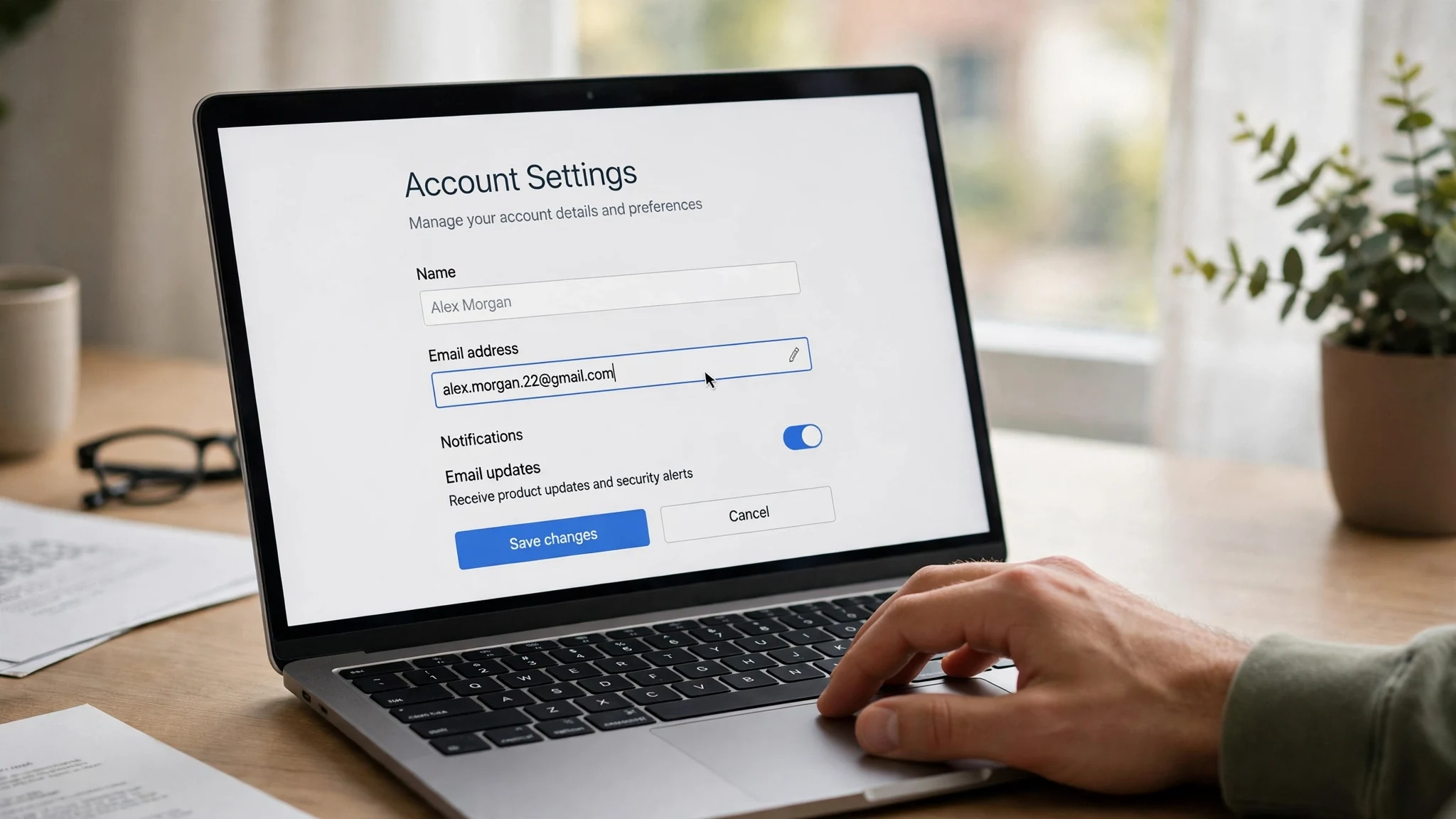
Murf lets you update the email address on your account from settings. The flow, from Murf's own help centre, is: log in with your existing email and password, open My Account, go to Profile Settings, click Update Email, enter your current password, enter the new address, and click Continue. Murf sends a verification email to the new address; click the link in it and the address is swapped. There is one condition for accounts created through Google, Microsoft, or Slack: you have to reset your password first, to disconnect the single sign-on, and only then does the Update Email button become active. And the process is intended for users who do not already have a Murf account under the new address — if you do, support has to transfer the workspace.
Compare that with Claude, where the signup address is the address you keep, because Anthropic offers no self-service way to change it. On Claude, a temp-email signup is a decision you cannot undo. On Murf, it is a decision you can undo in about two minutes, as long as you do it while the temp inbox is still alive and you still remember the password. The password is the load-bearing part: the email change requires your current account password, so set a password you will remember — or save it in a password manager the day you sign up — because a forgotten password plus a dead inbox is the same lockout as everywhere else in this series.
This is also why the email-and-password door is the right one for a temp-email trial on Murf, and the Google door is the wrong one. Sign in with Google and there is no temp address in the picture at all — your Google account is the identity. Sign in with email and password and you get both the trial and the exit: a disposable address for the first look, and a settings page that lets you trade it for a durable address the moment the account proves worth keeping. The migration is a settings page while you are logged in and the inbox is alive. Afterward, it is a support ticket — and support's first question will be how you prove you own an account whose email you no longer control.
What ten minutes actually buys
The free tier's shape is stranger than the price suggests, because Murf does not sell characters or words. It sells Voice Generation Time — VGT — the finished duration of the audio you produce. Ten minutes of VGT is ten minutes of finished voiceover, however many drafts and regenerations it took to get there, and the meter runs on output, not on typing.

Here is the full free tier, from Murf's pricing page as read in July and October 2026: $0, 10 minutes of voice generation in total, 10 projects, access to all 200-plus voices across 30-plus languages, and the full studio editor. What it does not include is the part that matters: no downloads and no commercial usage rights. You can generate the voiceover, listen to it in the browser, and shape it with the editor — and you cannot take the audio file with you or use it in anything you publish. One reviewer put it exactly right: the free tier is a very short Business demo rather than a limited Creator plan. It shows you the whole studio and then holds the exit door shut.
Ten minutes is enough to test a voice properly, narrate a short video, or record a voicemail greeting — and not enough to run a channel, a course, or a podcast. The comparison that puts it in perspective is ElevenLabs, the other AI voice tool in this series. ElevenLabs's free tier is also about ten minutes of speech, but it is a monthly bucket of 10,000 credits that refills, and a new email address is a new 10,000 credits — which is why the reset trick exists for ElevenLabs and the comment sections report it failing on the third or fourth account when the IP and device checks catch up. Murf's ten minutes never refills, so there is no reset trick to abuse and no reason to build one. A second Murf account gets you ten more minutes and a second empty workspace, not a subscription.
Two details in the free tier deserve a second look. First, unused minutes carry into a paid account as additional minutes rather than lapsing, according to the July 2026 pricing review — so the ten minutes are not wasted if you upgrade. Second, the free tier blocks commercial use while otherwise unlocking Business-level features, which means the trial is genuinely representative of the paid studio. If the voices sound wrong to you on the free tier, they will sound wrong on Creator too. That is the point of the demo, and it is honest in a way most free tiers are not.
The price ladder, and where a temp email stops
When the ten minutes run out, the ladder is short and the steps are steep. From Murf's pricing page as read in July and October 2026:
| Plan | Monthly | Billed annually | Voice generation | Projects |
|---|---|---|---|---|
| Free | $0 | $0 | 10 minutes, lifetime total | 10 |
| Creator | $29 a month | $19 a month ($228 a year) | 2 hours a month, or 24 hours a year | 100 |
| Business | $99 a month | $66 a month ($792 a year) | 8 hours a month, or 96 hours a year | 500 |
| Enterprise | Custom | Custom | Unlimited | Custom |
Two things stand out. First, Creator is where the product actually starts: unlimited downloads, commercial rights, and a Canva integration. If your work lives inside Canva, Creator is enough. If it lives inside PowerPoint or Google Slides, the real entry price is Business, because the slides integration sits there. Second, the annual Business figure is disputed between Murf's own pages — the pricing page lists 96 hours a year and the Workspace Help lists 240 — so confirm the allowance at checkout rather than trusting either number from this post.
There are two more price tags that matter for the temp-email question. The developer API is pay-as-you-go at $0.01 per 1,000 characters, billed to the account, and API keys live inside the account — a key you cannot reach because you cannot log in is a key that does not exist. And voice cloning, the feature that turns Murf from a voice library into your voice, requires explicit written consent from the speaker, and the cloned voice lives in the workspace it was created in. A cloned voice is not a file. It is a model stored on Murf's servers, accessible only from the account that created it, and there is no export button.
The moment you pay for Creator — $29 a month, or $228 up front for the year — the email stops being a signup detail and becomes a billing identity. Receipts, payment failure notices, subscription confirmations, and refund notices all go to the registered inbox. Pay with a temp address and the first billing hiccup becomes a silent account loss: the card fails, the notice goes to an expired inbox, the subscription lapses, and you find out when the studio stops exporting. The same applies to Business at $99 a month. The more you pay, the more absurd it is to route the billing relationship through an address you do not own. This is the cleanest decision rule in the whole post: a temp email is for trying, a permanent email is for paying, and on Murf the line between the two is exactly ten minutes long.
The workspace trap: your voiceovers live in Murf's cloud
There is one more account in this story, and it is easy to confuse with the first. Murf is not a download-and-go tool. It is a cloud workspace: your projects, your scripts, your voice settings, your generated audio, and your uploaded files all live on Murf's servers, inside the account. There is no local copy unless you downloaded the audio, and on the free tier you cannot download it at all.
That makes the lockout scenario concrete. You sign up with a temp address in November to try Murf for a weekend project. The voices are good, so you keep going: a YouTube narration, a course module, a client video. By February the workspace holds the scripts, the takes, and the tuned voice settings for work you are still shipping. Then you get a new laptop, or your browser cache clears, and Murf asks you to sign in. The password reset goes to an inbox that expired in November. There is no recovery address to try, and the workspace — everything in it — is unreachable. The account is not deleted. It is simply locked, which amounts to the same thing for everything inside it.
The same logic is why the email-change flow from the third section matters so much. On Murf, the fix is available and it is cheap: swap the address while the temp inbox is still alive, confirm the change through the old inbox, and the workspace moves with you. The failure mode is not that Murf traps you. It is that people never make the swap, because the account worked fine without it — until the day it did not. Accounts have a way of graduating from tests to tools without asking permission, and the moment that graduation happens, the email must graduate with it.
One more detail from Murf's own help pages: the Enterprise tier offers a contractual guarantee of no training on your data. That setting, like the billing relationship and the API keys, lives in the account, and the account lives behind the email. An account you cannot open cannot opt out, cannot cancel, and cannot export.
What I would actually do
Three situations, three different answers, and the whole post compresses into them.
If you want to try Murf once — hear the voices, test whether the studio fits your workflow, narrate one short clip — a temp email is the right tool. Sign up with email and password, not Google, so the account has a password and an email you can change later. Use the ten minutes, decide within a few days whether the account is a keeper, and if it is, swap in a durable address while the temp inbox is still alive: My Account, Profile Settings, Update Email, current password, new address, click the verification link. Then let the temp address go. A dedicated permanent mailbox — a free Gmail or Outlook address used only for AI tools — gives you nearly all the privacy of a temp address with none of the lockout risk.
If you want a Murf you keep — a workspace with projects, a Creator subscription, a cloned voice — sign up with that durable address from the start. The ten free minutes are the same either way, and the billing relationship, the API keys, and the cloned voice all need an inbox that will still exist next year. This is the same rule I found with ChatGPT and Claude, and it is sharper here because the thing locked inside the account is not a chat history. It is your work, in a format you cannot download on the free tier.
If you want a one-off look with no intention of keeping anything, use the ten minutes and then delete the account while the inbox still works, so the deletion is confirmed and nothing of yours sits in a workspace you can never open again. Order matters here, in the same way it mattered at signup: delete first, let the inbox lapse second.
The address you build a presence on is the address that owns it, and that is fine only when you chose it deliberately. Murf is unusually forgiving about that choice — it hands you the settings page to fix it. Take the offer while it is still on the table.
Frequently asked questions
Can I sign up for Murf AI with a temp email?
Yes, as far as the published evidence goes. Murf's signup takes an email address and password and verifies it with a link, and I found no Murf-specific report of disposable domains being blocked. The general disposable-domain blocklists still apply, so if your address is refused, generate a fresh one on a different domain rather than retrying the same one. Keep the inbox tab open until you have clicked the verification link and logged in at least once.
How much is Murf AI's free plan, really?
Free, with a catch that matters more than the price: 10 minutes of voice generation in total, for the lifetime of the account, not per month. It includes 10 projects and all 200-plus voices, but no downloads and no commercial use. When the ten minutes are gone, they are gone — the free tier does not refill.
Can I change the email on my Murf account later?
Yes. Murf offers a self-service email change in My Account, under Profile Settings, Update Email. You need your current account password, and the new address must be verified by a link. If you signed up with Google, Microsoft, or Slack, reset your password first to disconnect the single sign-on. Do the swap while the old inbox is still alive — afterward it is a support ticket, not a settings page.
How much does Murf AI cost after the free tier?
Creator is $29 a month, or $19 a month billed annually at $228 a year, with 2 hours of voice generation a month and 100 projects. Business is $99 a month, or $66 a month billed annually at $792 a year, with 8 hours a month and 500 projects. Enterprise is custom-priced with unlimited generation. The developer API is pay-as-you-go at $0.01 per 1,000 characters.
What happens if my temp inbox expires while my Murf account is active?
You lose the password-reset path, and the workspace — projects, scripts, voice settings, generated audio — becomes unreachable. There is no recovery address to try. If the account might matter in three months, swap in a durable address while the temp inbox is still alive, using the email-change flow in settings.
Is using a temp email for Murf AI against its rules?
Murf publishes no rule against disposable addresses at signup, and its terms focus on account ownership and prohibited use. But the free tier's terms are clear that it is for non-commercial use, and a disposable address is the opposite of the personal address the service expects for a real account. Treat a successful signup as tolerated rather than endorsed, and never build anything you care about on an address that may already be flagged.
Need a disposable temporary email?
Protect your real inbox from spam and promotional clutter instantly and free.
Received a suspicious email, text, or charge alert?
Verify whether the sender domain is disposable, spoofed, or unverified before clicking links.