
HIPAA Secure Email Providers: The 8 That Actually Sign a BAA (and the Ones That Won't)
HIPAA Secure Email Providers: The 8 That Actually Sign a BAA (and the Ones That Won't)
There is no such thing as a HIPAA-certified email provider. No government stamp, no HHS seal, no certificate you can frame. Any vendor page that implies otherwise is selling you a feeling, and feelings do not survive an audit.
What exists instead is a contract: the Business Associate Agreement. A provider that will sign a BAA with you, and configure its service so protected health information stays protected, can be part of a compliant setup. A provider that will not sign one cannot — no matter how strong its encryption, how good its reputation, or how many "HIPAA compliant" badges decorate its homepage. That single distinction is the whole test, and it cuts the field down fast.
I compared the eight providers that actually sign, checked their prices against their own pricing pages and two independent comparisons published this month, and ran a live test of the opposite end of the spectrum — a disposable inbox — so you can see what the absence of all of this looks like in practice. Prices below are as listed in mid-November 2026; healthcare pricing moves without notice, so confirm the number on the provider's own page before you pay.
The 30-second test: three questions that settle it
Before you read a single feature list, ask the provider these three questions. A straight answer to all three means the vendor belongs on your shortlist. Evasion on any one of them means it does not.
1. Will you sign a BAA with me, on the plan I would actually buy? Not "we support HIPAA." Not "we are HIPAA compliant." Will you sign the agreement, on this plan, for my organisation? Some providers sign only on business plans, some only on request, some not at all on free tiers. The plan matters as much as the answer.
2. Does encryption reach the patient, or stop at your server? Transport encryption (TLS) protects email while it travels between servers. It does nothing once the message lands in the recipient's inbox. If your patients read mail on servers you do not control, you need message-level encryption — the content itself encrypted — or a secure portal. Ask how a patient with a plain Gmail account reads your message. The answer tells you which model you are buying.
3. Who else touches the mail? Your shared inbox, your help desk, the AI add-on that drafts replies, the archiving tool — each one that reads or stores patient email is a business associate in its own right and needs its own BAA. Your mail provider's agreement does not cover them. Google says outright that add-ons are not part of its BAA. This is where most small practices quietly fall out of compliance: the mailbox is covered, the tool sitting on top of it is not.
Two kinds of provider, and why the distinction decides everything
Every provider on this page is one of two things, and confusing them is the most common expensive mistake in this market.
| Type | What it is | Examples |
|---|---|---|
| Mailbox provider | Hosts your address and signs a BAA for it | Google Workspace, Microsoft 365, Hushmail, Proton |
| Encryption layer | Sits on top of the mailbox you already have and signs its own BAA | Paubox, Virtru, LuxSci, MailHippo |
If you already live in Gmail or Outlook, you probably do not need a new mailbox. You need your existing provider's BAA plus, in some cases, an encryption layer for the gap your mailbox leaves open — usually, mail to patients whose servers may not support TLS, or mail that needs to stay encrypted after delivery. Buying a second mailbox on top of the one you already pay for is the most common way practices spend twice for the same protection.
Already on Google or Microsoft? Start here and stop shopping
Google Workspace signs its BAA at no extra charge once a super admin accepts it in the Admin console. Business Starter is $7 per user a month. The catch is configuration: Gmail uses TLS when the receiving server supports it and sends unencrypted when it does not. An admin can require TLS for specific partner domains — the labs and specialists you email most — and hosted S/MIME or client-side encryption needs Enterprise Plus or Frontline Plus. Workspace is the right default for a practice already on Gmail, and a trap for anyone who assumes the familiar logo means the familiar account is covered. Personal Gmail never qualifies, whatever the settings.
Microsoft 365 includes its BAA by default for covered entities and business associates through its Data Protection Addendum. Exchange Online Plan 1 is $4 per user a month, email only; Microsoft 365 Business Basic is $7 with Teams or $5.40 without. For a practice already on Outlook, this is usually the cheapest honest route to a covered mailbox — four dollars a month and no migration. The same warning applies in reverse: consumer Outlook.com has no BAA and never will.
My opinion, stated plainly: if your practice is already on one of these two suites, do not buy a dedicated HIPAA email product first. Put the BAA in place, switch on the settings your risk analysis calls for, and spend the money you saved on the gap you can actually name. Most practices cannot name one until they have used the configured mailbox for a month.
Solo or small practice: the two that were built for you
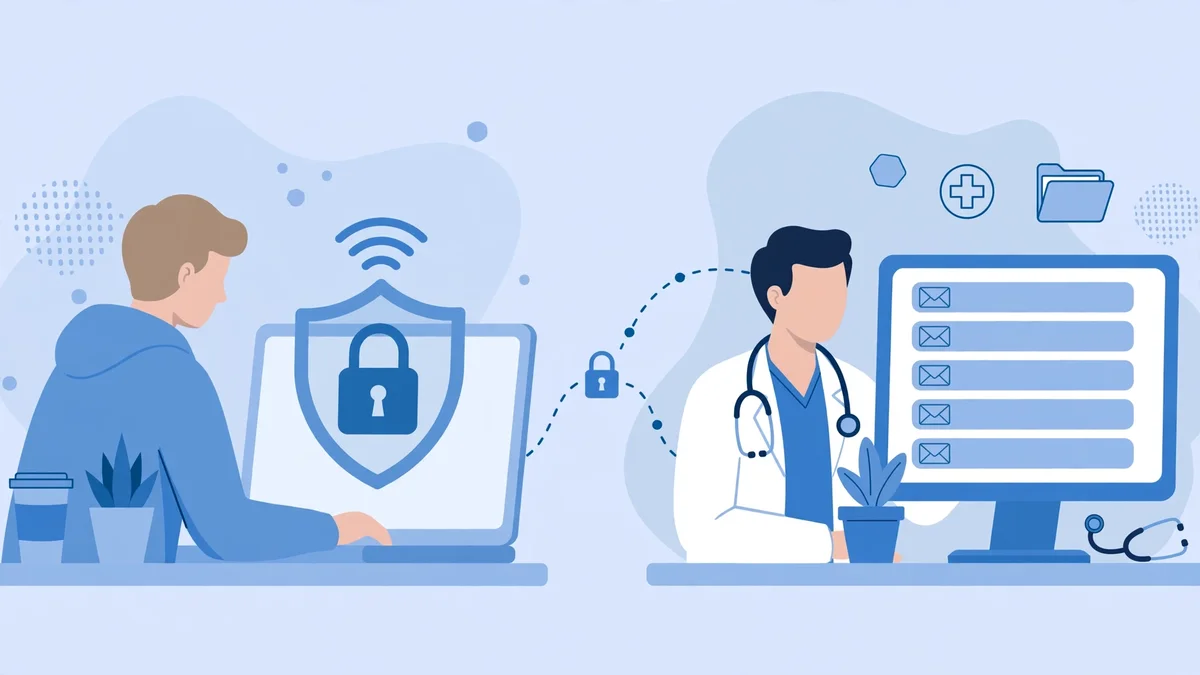
Hushmail for Healthcare is the one built for small practices first. Encrypted email, secure web forms for intake, and a BAA included on all three healthcare plans. Healthcare Basic is $11 per user a month billed yearly; intake forms start on Essentials at $13.75. Clients receive a notification with a link and read your message through a secure portal — one extra click for them, which is the price of the model. If your intake volume is mostly forms and appointment emails, this is the default recommendation, and it is the one most small-practice communities name first. Our therapist-specific guide covers the Hushmail-first setup in detail — see Therapy Secure Email: The HIPAA Rules Therapists Actually Break.
MailHippo takes the opposite approach: it layers HIPAA-compliant sending on top of the email you already use, including Gmail and Outlook. Basic plans start at $4.95 per user a month after a 30-day free trial, and a BAA is included on every plan, the trial included. It is the cheapest honest option in this comparison. The trade-off is the portal: recipients open messages through a secure link rather than reading them in their inbox. Choose it if you refuse to change inboxes and your secure-message volume is occasional rather than constant.
Encryption-first: the strongest lock, the thinnest workflow
Proton Mail offers end-to-end encryption and will sign a BAA — offered to all Proton users on request, which is unusually generous. Workspace Standard is $14.99 per user a month, billed monthly. Between Proton users, mail is end-to-end encrypted automatically; outside recipients get a password-protected message when you set one. It is the strongest on pure encryption and the weakest on practice workflow: no intake forms, no practice tooling, no shared-inbox features worth the name. Choose it if encryption is your top priority and you already handle intake elsewhere. Do not choose it expecting a practice management system; it is a mailbox with excellent locks and nothing else.
If the encryption vocabulary in these sections is unfamiliar — the difference between TLS, end-to-end encryption, and portal delivery — our explainer What Is an Encrypted Email? walks through each one with the trade-offs attached.
High volume and no-portal delivery: the specialists
Paubox encrypts without making your patients log into a portal, which removes the one friction point Hushmail and MailHippo introduce. Email Suite Standard is $32 a month for up to five senders, BAA included on every plan. It layers onto Google Workspace, Microsoft 365, or Exchange, encrypts every outbound message automatically, and delivers it straight into the recipient's inbox. That convenience costs more than Hushmail's entry plan, and it is worth it for practices whose patients are older, less technical, or already confused enough about starting care. A $20-a-month @pauboxmail.com mailbox exists for people leaving a free Gmail or Yahoo address.
LuxSci is the high-volume pick. Its Secure Gateway encrypts outgoing mail from Google Workspace or Microsoft 365 and picks the delivery method per recipient — TLS, portal, PGP, or S/MIME, depending on what the recipient's infrastructure supports. It is $50 a month for up to five users, BAA on every tier, and it integrates with EHRs and CRMs to trigger PHI-personalised email at scale. A solo practice does not need LuxSci. A clinic sending appointment reminders, lab results, and marketing to thousands of patients does — and the per-recipient encryption choice is the feature that earns the price.
Virtru layers encryption onto Gmail and Outlook and lets you control a message after sending it: revoke access, set an expiry date, block forwarding. Starter includes a signed BAA and costs $119 a month for five users, billed annually only — the most expensive add-on here by a wide margin. Buy it for one reason only: you need to take a message back. If you do not need revocation and expiry, you are paying a premium for a feature you will never use.
What a five-person practice actually pays
Sticker prices mislead because mailbox and add-on stack. Here is the honest monthly total for five people, BAA included, using the prices above:
| Setup | Mailbox | Add-on | Monthly total |
|---|---|---|---|
| Microsoft 365 only | Exchange Online, $4 × 5 = $20 | none | $20 |
| Google Workspace only | Business Starter, $7 × 5 = $35 | none | $35 |
| Workspace + MailHippo | $35 | $4.95 × 5 = $24.75 | $59.75 |
| Workspace + Paubox | $35 | $32 (up to 5 senders) | $67 |
| Hushmail only | $11 × 5 = $55 | none | $55 |
| Workspace + LuxSci | $35 | $50 (up to 5 users) | $85 |
| Workspace + Virtru | $35 | $119 (5 users) | $154 |
| Proton only | $14.99 × 5 = $74.95 | none | $74.95 |
Two things jump out. First, the cheapest compliant setup is not a "HIPAA email provider" at all — it is Exchange Online at $20 a month for five people, because the BAA is included by default. Second, the add-on can cost more than the mailbox it protects: Virtru at $119 is more than triple the Workspace mailbox underneath it. Before you buy an add-on, write down the specific gap it closes. "More secure" is not a gap. "Our patients cannot open portals" is. "We email labs whose servers do not support TLS" is. If you cannot name the gap, you do not need the add-on yet.
What the comparison pages leave out
Free tiers do not count. Consumer Gmail and Outlook.com have no BAA. MailHippo's free tier is now a 30-day trial, Paubox offers a 14-day trial rather than a free tier, and Proton offers a BAA to all users but does not say whether that includes free accounts — ask Proton to confirm in writing before relying on a free plan for patient mail. Any roundup that lists a free plan as a HIPAA option without this caveat is not a roundup you should trust.
A trial account is not covered by the BAA. Several providers are explicit about this: the BAA takes effect when the paid, HIPAA-enabled account is set up. Test with fake data, request the BAA, and go live only once the account is HIPAA-enabled — never the other way around. Patient details do not belong in a trial inbox.
The shared inbox is a separate problem. A shared address like frontdesk@ usually has several people answering it, and sharing one password breaks the unique-login rule, because nobody can say who opened a patient's message. Any tool that reads that mail — a shared inbox or help desk — needs its own BAA. Keeping's HIPAA plan, a shared inbox that runs inside Gmail, is $49 per user a month with a BAA included. Expensive, and the honest price of doing shared inboxes properly.
A disclaimer does not make email compliant. A confidentiality notice at the bottom of a message does not protect it, does not replace a BAA, and does not substitute for named logins or encryption. It can tell someone who received the message by mistake what to do with it. That is all it does.
"HIPAA compliant" is not a certification. HHS does not certify email providers, and no vendor can show you a government certificate. If a provider's marketing leans on the phrase without ever showing you the BAA, the agreement is the thing being hidden. Ask for it in writing before you pay anything.
The test I ran: the opposite end of the spectrum
To see what the absence of all of this looks like, I opened a disposable inbox on TempoMailUSA while writing this — no account, no card, an address generated instantly. It worked in seconds, exactly as advertised, and it is the perfect illustration of the other end of the spectrum: no login, no encryption, no audit log, no BAA, no retention you control, and no way to prove who read what. For newsletter signups and verification codes, that is a feature — the inbox is disposable precisely because nothing about it is accountable. For patient email, every one of those properties is a violation waiting for a breach to expose it. The test took under a minute and settled the question more clearly than any feature table: the tool that is best for throwaway signups is the worst possible tool for PHI, and the reason is not the encryption. It is that nobody signs anything, nobody logs anything, and nobody can be held to anything.
The same logic runs the other way. Our guide to the most secure email providers overall covers the general-security ranking; HIPAA adds the contract on top of the security, and the contract is what most "most secure" lists never mention.
Verify the BAA in five steps, before you pay

- Ask in writing: "Will you sign a BAA with my organisation on the plan I am about to buy?" Keep the reply. A sales page is not an agreement.
- Check where the BAA lives. Google's is accepted by a super admin in the Admin console; Microsoft's comes by default through its Data Protection Addendum; Hushmail, Paubox, LuxSci, and MailHippo include it on the plan. If nobody can tell you where it lives, it does not exist yet.
- Read what it covers — and what it leaves out. Add-ons, archiving, AI drafting tools, and integrations are routinely outside the provider's BAA. Each needs its own.
- Confirm the plan tier. Several providers sign only from a named paid plan upward. The price on the pricing page is not the price of the compliant tier unless the page says so.
- Get the effective date in writing. The BAA must be in place before the first patient message, not after the first month. Backdating is not a compliance strategy.
The setup order for this week
Do these in order, and do not skip ahead to the shopping step. The shopping step is step four, not step one.
- List who emails PHI: staff, outside partners, patients — and which addresses they use.
- Pick the mailbox you already have, if it signs a BAA. For most practices that is Google Workspace or Microsoft 365, and the BAA costs nothing extra.
- Name the gap: portal friction, mail to outside servers without TLS, revocation, intake forms, shared-inbox access.
- Buy only the tool that closes that gap, on the plan that includes the BAA.
- Put named logins and two-step verification on every account, turn audit logging on, and document the risk analysis that includes email — the rules require the analysis, and properly encrypted PHI that is lost does not trigger breach notification.
Get the order wrong and you end up with a $119 add-on on a mailbox that was already covered, or a portal your patients cannot open. Get it right and the cheapest compliant setup is twenty dollars a month.
FAQ
Is Gmail HIPAA compliant? Personal Gmail is not — there is no BAA, and no setting changes that. Google Workspace can be part of a compliant setup once a super admin accepts Google's BAA and the settings are right. The account type is the whole difference.
What is the cheapest HIPAA-compliant email? Exchange Online Plan 1 at $4 per user a month, BAA included by default, is the cheapest mailbox in this comparison. MailHippo Basic at $4.95 per user a month is the cheapest add-on. Either way, confirm the price on the provider's own page — these figures are from mid-November 2026.
What is a BAA, exactly? A Business Associate Agreement is the contract HIPAA requires when a vendor handles protected health information on your behalf (45 CFR 164.502(e)). It makes the vendor contractually responsible for protecting PHI. Without a signed BAA, the vendor is not your business associate — it is just a company holding patient data with no HIPAA obligations to you.
Do I need a BAA if I only email appointment reminders? Yes. Appointment reminders carry names and the fact of treatment, which is PHI. Any vendor that handles that mail needs a signed BAA before it touches a single message.
Can I use a temp mail or disposable email for patient messages? No. A disposable inbox has no authentication, no encryption, no audit log, and no BAA — the four things HIPAA requires of the channel. Disposable addresses are for signups and verification codes, never for anything you may need to recover or anything a regulator may ask about. Law firms face the same wall: our secure email guide for the legal sector covers the equivalent rule for privileged material.
Does HIPAA require encryption, or just recommend it? Encryption is "addressable" under the Security Rule, which surprises people — but the assessment is not optional, and you must document it (45 CFR 164.306(d)(3)). In practice, encrypt: properly encrypted PHI that is lost does not trigger breach notification, and an unencrypted inbox discovered after a breach is very hard to describe as "did not know." The civil penalty tiers in 2026 run from $145 per violation for unknowing violations to $2,190,294 per violation for willful neglect left uncorrected, with a calendar-year cap of $2,190,294 per violation type. The tier, not the maximum, is what should worry you.
How do I send an encrypted email once I have a compliant provider? The steps depend on the provider — portal link, automatic TLS, or per-message encryption — and the recipient's experience differs in each case: a portal means an extra click and a login, while automatic encryption delivers the message straight into their inbox.
Need a disposable temporary email?
Protect your real inbox from spam and promotional clutter instantly and free.
Received a suspicious email, text, or charge alert?
Verify whether the sender domain is disposable, spoofed, or unverified before clicking links.