
Fake Email Layout: How to Read Any Email Like a Forgery Inspector
Fake Email Layout: How to Read Any Email Like a Forgery Inspector
Search "fake email layout" and you are not really asking for a definition. You are asking a practical question: this email in front of me looks almost right — where exactly do I look to find out whether it is forged? The answer is the layout itself. Every email, real or fake, is built from the same seven zones, in the same order. A forger can copy six of them perfectly and still give the game away in the seventh, because the one thing a fake cannot copy is the plumbing underneath: the real sending domain, the real destination of its links, and the real behaviour of the company it pretends to be.
That is the shift that matters. Stop reading a suspicious email the way its author wants you to read it — top to bottom, quickly, slightly worried — and start reading it the way a forgery inspector reads a document: zone by zone. The checks below need no software and no clicking. They work on the polished fakes too, which is the point: modern phishing is cleanly written and laid out with the real brand's own logo and colours. Spelling mistakes are a bonus tell when they appear. Their absence proves nothing.
Before the zones, two ground rules. Do not click anything in the message while you inspect it — not the button, not the logo, not the unsubscribe link. Every check in this guide can be done without clicking. And do not open an attachment, or call any number printed in the message. Suspicion alone is enough to walk away; a message earns your click by passing the checks, not the other way round.
The seven zones of every email
Every marketing or transactional email you have ever received follows the same skeleton, because every brand uses the same email template system. Once you can see the skeleton, a fake stops looking like a message and starts looking like a set of decisions somebody made:
| Zone | What lives there | What the fake gets wrong |
|---|---|---|
| 1. Sender line | Display name + real address | Display name is free text; the domain behind it is invented |
| 2. Subject line | The promise | Manufactured urgency, often in capitals |
| 3. Logo band | Brand mark, colours, header image | Pixel-perfect copy — proves nothing |
| 4. Greeting + body | The story | Generic greeting, a problem, a deadline |
| 5. The button | The single call to action | Text says one place, destination is another |
| 6. Footer | Legal lines, address, unsubscribe | Vague, missing, or copied from a different brand |
| 7. Attachment strip | Files riding along | An unexpected file is a second hook |
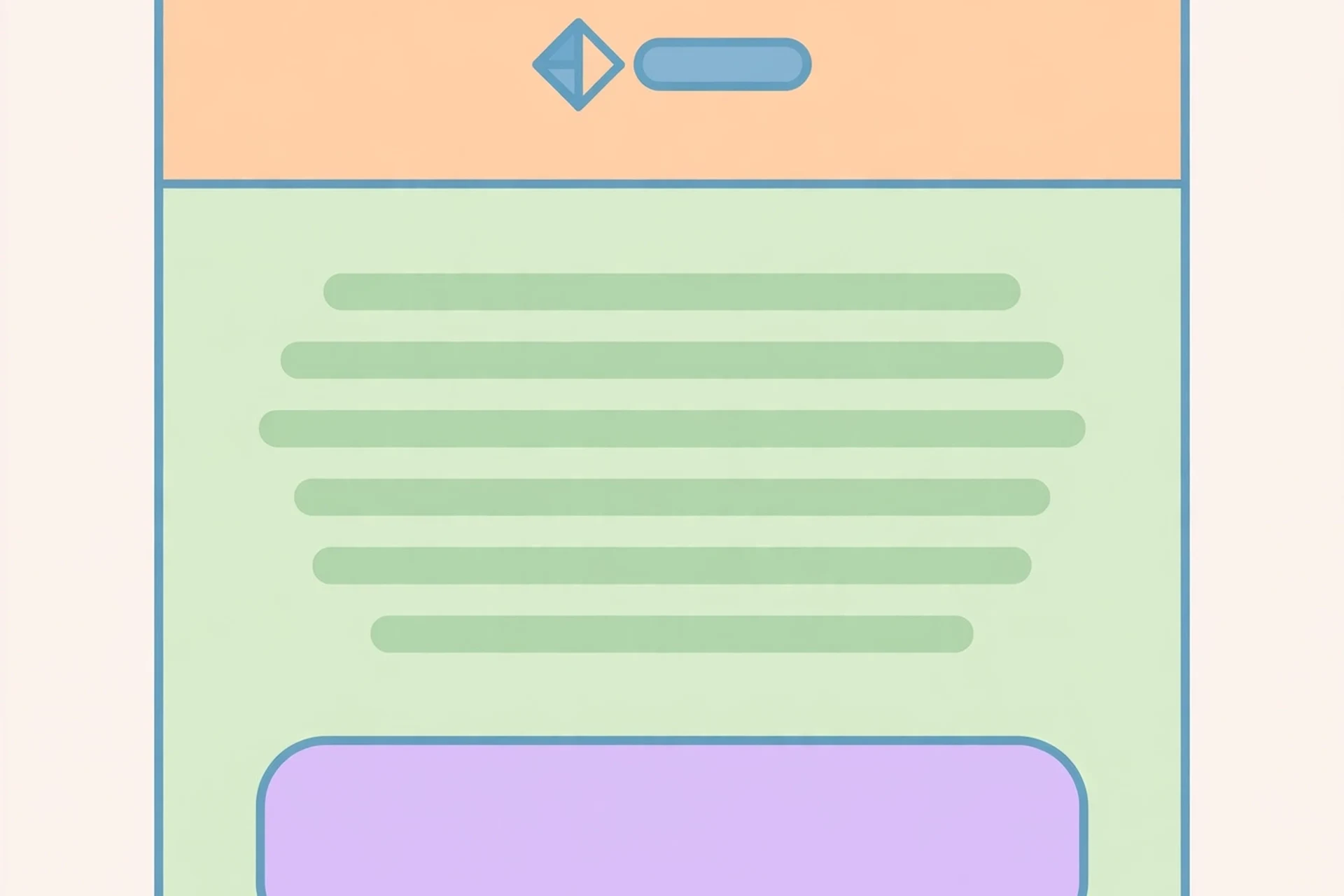
Work through them in order and you will catch almost everything. Here is the fake we will use to walk the zones — a composite built from the patterns the FTC and CISA describe, with defused placeholder addresses so nothing in it is clickable. A live one would use a lookalike domain instead, which is itself the first tell.
From: StreamFlix Billing <[email protected]>
Subject: Payment failed — update your card in 24 hours or lose access
"Hi there,
We couldn't process your last payment. Your account will be paused in 24 hours. Update your payment method now to keep watching.
[ Update Payment Method ]
Questions? Reply to this email or call 1-800-555-0142.
StreamFlix, 1000 Viewer Lane, Los Angeles, CA. Unsubscribe."
Read it once the way its author hopes you will: quickly, slightly worried, on a phone, between other tasks. Now read it as an inspector. Five things are wrong with it, and each maps to a zone.
Zone 1: the sender line — the display name is free text
This is the single most reliable tell in the whole email, and it is the one most people never check, because the sender line looks authoritative. It is not. The display name — "StreamFlix Billing" — is free text. Anyone can type anything there, including the exact name of your bank. The address behind it is the evidence.
Tap or click the sender's name to expand it and read the actual address. In Gmail, Google's own advice is to check that the email address and the sender name match; a message from "Your Bank" sent from a long, unrelated address has failed before you read a word of it. Then read the domain — the part after the @ — from the right. The real company name must sit immediately before the ending, like .com. Extra words in front of it, like our example's invented streamflix-billing, mean the address belongs to whoever owns that longer domain. Then read the company name letter by letter: swapped, doubled, or missing characters are the classic imitation, easy to miss at reading speed. Paypal spelled paypa1, Amazon spelled arnazon — your eye corrects them automatically, which is exactly why the trick works.
Then ask the context question: were you expecting this? Do you even have an account with this company? The FTC's version is simple — if a message asks you to click or open something, ask whether you even have an account with the company. If the answer is no, treat it as a likely scam, report it, and delete it. No further analysis required.
One more check for the messages that pass: compare the From address with the Reply-To address in the message's full details. If replies would go somewhere different from where the message claims to come from, treat it as fake until the sender proves otherwise another way. In our composite, the reply would go to the same invented domain — but in live fakes the reply-to is often a free webmail address, which is a confession.
Zone 2: the logo band — a perfect logo proves nothing
This is the zone where most people's instincts fail them, because the instinct is backwards. A blurry logo, mismatched colours, or a font that changes halfway down the email used to be a reliable tell, and it still is when it appears — phishers sometimes grab images from the web rather than from brand asset libraries. But the absence of those flaws proves nothing at all. Copying a logo is trivially easy. The brand's own website hands any forger the exact logo, the exact hex colours, and the exact layout, free of charge.
So treat the logo band as decoration, not evidence. Its only real job in your inspection is a negative one: if the logo is wrong — low resolution, stretched, the wrong shade, sitting in a header that does not match the brand's usual emails — that is a strike against the message. If the logo is perfect, you have learned nothing, and you move on to the zones that cannot be faked by copying. I have seen people forward me obvious fakes with the comment "but it has the real logo," as if the logo were a signature. It is a picture. Anyone can paste a picture. The useful comparison is side-by-side, not from memory: open a real email from the same company — a receipt, a welcome email — and put it next to the suspect. The differences that matter are rarely in the logo. They are in the small print: the footer address, the unsubscribe line, the domain on the links. Memory is a bad reference; a real email is a good one.
Zone 3: the greeting and the body — the pressure engine
A company holding your money knows your name. "Hi there" is written for ten thousand strangers at once. That is the first thing the body gives away, and it is the cheapest tell in the whole layout: a generic greeting in a message that claims to be about your account, your payment, your subscription. Real transactional emails from companies you pay almost always use your name, because their systems have it.
The second thing is the engine the whole message runs on: hurry. The FTC describes the standard scripts, and they barely change from year to year — suspicious activity or log-in attempts, a problem with your account or payment information, a request to confirm personal information, an invoice you will not recognise, a prize or refund waiting for you. Different stories, same mechanism: a reason to act before you think. Our composite runs it twice in three sentences: "paused in 24 hours" and "update now to keep watching." A deadline plus a single login link is the pattern. Real reminders do not generally pair a countdown with one button.
Watch also for the request itself. Honest organisations will not email you to ask for your password, bank account number, card number, or Social Security number. A message that asks for any of those has identified itself. And watch for the offer that arrives from nowhere: a refund, prize, or coupon you did nothing to earn, one click away. The click is the product.
There is a business version of this zone that deserves its own sentence, because it carries no link and no attachment at all: a polite email, apparently from a regular supplier, saying their bank details have changed — or a boss asking for gift cards, quickly and quietly. Nothing to hover, nothing to scan. The only tell is the request itself: unusual, money-shaped, and in a hurry. The only thing that settles that kind of message is a phone call to a number from your own records, never one printed in the email.
Zone 4: the button — the gap between the text and the destination
The button is where the forgery happens. A link's visible text and its destination are two separate things, and phishing lives in the gap between them. CISA calls these spoofed hyperlinks: the address that appears does not match the text you are hovering on. Every button, logo, and image in the email can be a link, and the button is simply the one you are most likely to press.
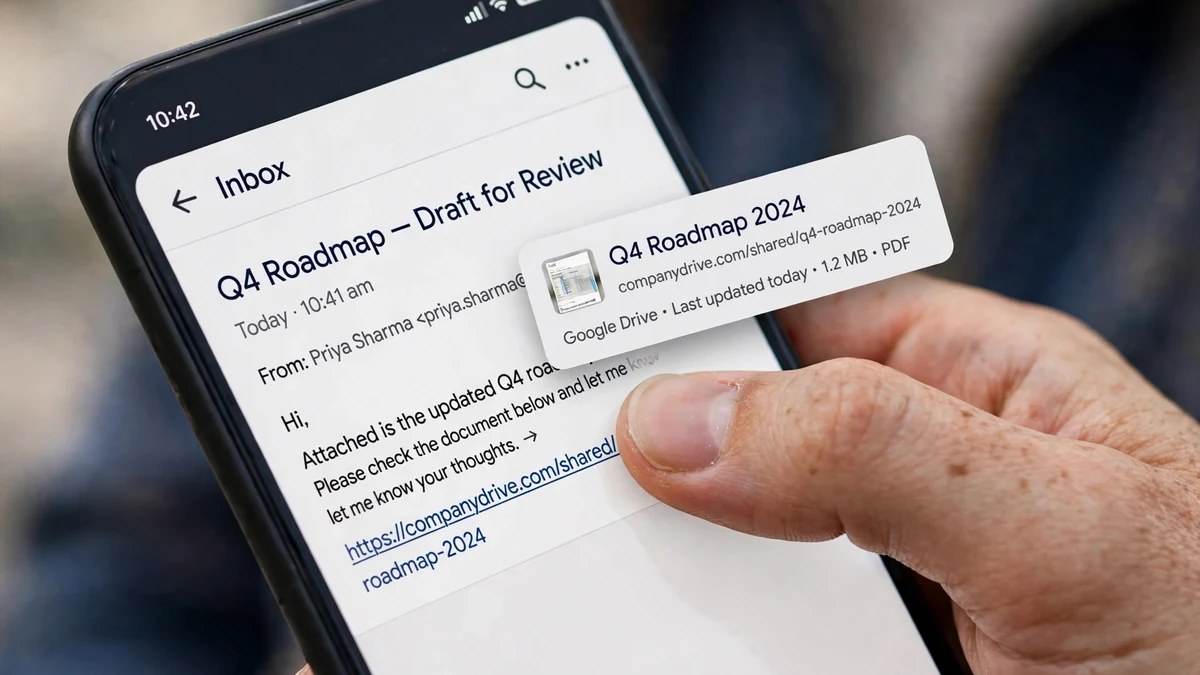
On a computer, hover before anything else. Rest the pointer over the link without clicking. Your browser or mail app shows the true destination. Read its domain the same way you read the sender's: the company's real name, immediately before the ending, with no extra words and no altered letters. On a phone, long-press the link — on most mail apps, pressing and holding previews the destination without opening it. Learn the gesture on a safe email first. If your app shows no clear preview, skip the link entirely and verify another way.
Score the result strictly. One link pointing at the wrong domain fails the whole message. There is no partial credit and no "probably fine." Real emails contain several links, and marketing ones sometimes route through tracking domains — which is why the rule is not "close enough" but "the important link, the one asking you to log in, pay, or verify, must plainly lead to the company's own domain." If it does not, do not use it. Go there yourself. That is the strongest habit in this whole guide: whatever the message claims, you confirm or dismiss it through a channel the message did not give you. If the claim is real, it will still be there when you arrive by your own route — the app, a bookmark, an address you type yourself. No alert in the account means no problem to fix, and the email was the whole attack.
If you want to see how one brand's fakes play this zone in practice, our dissection of a real Snapchat fake shows the same button trick with a different costume — the "verify" button led to a lookalike login page, not to Snapchat at all. The costume changes; the gap between text and destination does not. Snapchat fake email
Zone 5: the footer and the attachment strip — where fakes get lazy
By the time you reach the footer, the forger has spent their effort on the top of the email, and it shows. Real footers are boring in a specific way: a real street address, a real phone number, a working unsubscribe link, and legal text that matches the company's actual jurisdiction. Fake footers are vague — a city with no street, a phone number that belongs to nobody, an unsubscribe link that is just another link from the same sender. Our composite gives "1000 Viewer Lane, Los Angeles, CA" and a bare "Unsubscribe" with no link text at all. A real streaming company footer is longer, duller, and full of links that actually go somewhere.
Do not click the unsubscribe link to test it. CISA's instruction is simply to report and delete, and the unsubscribe is just another link from the same sender — clicking it confirms to the sender that your address is live, which is valuable to them even if the link itself is harmless.
The attachment strip is the second hook. An unsolicited attachment is one of the standard ways malicious software is delivered, and "invoice" and "statement" files are the usual costumes. Ask the same context question as everywhere else: were you expecting this file, from this sender, today? Real statements and invoices also live inside your account, reachable without opening anything that arrived by email. Our composite mentions no attachment, which is worth noting — the fakes that carry one are usually the invoice and delivery scams, and we dissected three real cloud-storage ones line by line, attachment strip included. Cloud storage scam emails
The mobile problem: where layout checks break
Here is the uncomfortable part. Almost every check in this guide is harder on a phone, and most suspicious emails are read on a phone. The sender line is truncated to a display name. There is no hover. The link preview depends on a long-press gesture many people have never used. The footer is below three screens of scrolling nobody does. The forger knows this, which is why the composite above is written to be read "quickly, slightly worried, on a phone, between other tasks."
So the mobile rule is different from the desktop rule, and simpler: on a phone, do not judge the email at all. Judge it later, on a computer, or do not judge it — just go to the app. If a message claims a problem with an account, open the company's app from your home screen and look. If there is no alert there, there is no problem. This is not a compromise; it is the strongest version of the check, because it does not depend on your ability to spot a forgery on a four-inch screen.
If you must inspect on the phone, two gestures carry the whole job: tap the sender's name to expand the full address, and long-press the button to preview its destination. Practice both on a safe email first, so the gestures are familiar when a suspicious one arrives. And turn on whatever phishing protection your mail app offers — Gmail and Outlook both flag many fakes before you see them — but do not treat the absence of a warning as a clean bill of health. Filters catch the known fakes. The new ones are yours to catch, and the real-time detection tools that help with that still miss plenty, as our own testing found. Real-time detection of AI phishing emails
I tested the temp-inbox defence live — and what it can and cannot do
There is a second way to deal with fake emails that has nothing to do with spotting them: make sure they never reach an inbox that matters. A disposable address for signups and trials means the flood of "verify your account" mail lands somewhere you can abandon, and a forger who buys a leaked signup list gets an address that leads nowhere. That is the defence this site is built around, so I tested the part of it this article depends on — live, on the morning this was written.
Generating an address took no signup and no click-through: opening tempomailusa.com produced an address automatically, 6yszqy026j@rover.info, with a countdown reading 29 days, 7 hours — free inboxes last 30 days. That part works exactly as advertised, and it is the honest basis for the advice that follows: use a fresh disposable address for any signup you do not fully trust, and keep your real inbox for the accounts that hold your money.
But the test also found the limit, and I am not going to hide it. A freshly generated inbox is empty. There were no sample or demo messages in it — nothing to open, no sender line to expand, no link to hover — so the layout inspection I describe above cannot be practised inside a fresh temp inbox until a real message actually arrives there. (An earlier run of this same test, on a recycled address, did show old messages; a fresh address starts clean.) The first message is free to read; reading beyond that needs Pro at $4.19 a month. So the temp inbox is a good shield and a poor microscope: it keeps fakes away from your real address, but it is not where you go to dissect one. For that, your real inbox — with the sender expansion and the long-press — is the tool. If you want the setup, the four ways to make a throwaway address, from 30 seconds to permanent, are here. How to create a throwaway email
One more honest note from the same test: the site's own pages disagree about how many domains it offers — 427 in one banner, 468+ in the body, 467+ on the pricing page. The free plan gives you one domain, rover.info. That inconsistency is a small thing, but it is the same habit this article teaches: read the fine print, and trust the page that shows you the number over the page that shouts it.
The 30-second drill
Do this on every email that asks you to click, pay, log in, or open something. It takes half a minute once the gestures are familiar.
- Expand the sender. Tap the name. Read the domain after the @, from the right. Wrong domain, or a free webmail address claiming to be a company — stop here.
- Read the subject for a deadline. "24 hours," "suspended," "final notice" — urgency plus a link is the pattern, not a coincidence.
- Check the greeting. No name in a message about your account is a strike. Your name spelled wrong is also a strike.
- Long-press the button. Preview the destination. If the domain is not the company's own, stop here. Do not click to find out.
- Glance at the footer. Vague address, no working unsubscribe, legal text that does not match the brand — another strike.
- Ask the context question. Were you expecting this? Do you have an account? If no, report and delete. If yes, verify in the app, not through the email.
- Never use anything from the message to verify it. No links, no buttons, no phone numbers printed in it. A scammer answers their own phone politely.
Three strikes is a fake. One failed sender or link check is already enough — those two are not strikes, they are verdicts.
When one lands: report, delete, recover
Three endings, depending on how far things went. All start the same way: stop interacting with the message.
You spotted it. Report it where you read it, because reporting trains the filters that protect everyone after you. In Gmail, open the message, click More (the three dots next to Reply), and choose Report phishing. In Outlook on the web, select the message and choose Report, then Report phishing. Then delete it, and report the attempt to the FTC at ReportFraud.ftc.gov too. If you only opened the email and clicked nothing, that is the whole job — opening an email does not infect anything by itself, though it is worth knowing what the first minute after opening one actually does to you. What happens if you open a spam email
You clicked, but entered nothing. Close the page. If you downloaded or opened an attachment, treat that more seriously: disconnect the device from the internet while you get help, and a work device goes straight to whoever handles your IT. Run your security software's scan.
You entered a password or details. Act now, in this order: change the password from the real site — type the address yourself or use the app, never go back through the email's link. If that password was reused anywhere, change those accounts too, email account first. Turn on multi-factor authentication or a passkey on the account while you are in it. If financial information or money is involved, contact the institution immediately using the number on your card or statement. And if it was a work account or device, tell the person responsible right away. Speed matters more than embarrassment.
FAQ
What is a fake email layout? It is the structure of a forged email — sender line, subject, logo band, greeting, body, button, footer, and attachment strip — arranged to imitate a real message from a company you trust. The layout is the forgery: the visible parts are copied from the real brand, while the hidden parts (the sending domain, the link destinations) belong to the scammer.
Can a fake email look exactly like a real one? The visible layout can, yes. Logos, colours, fonts, and tone are all trivially copyable, and modern fakes are usually cleanly written. What a fake cannot copy is the plumbing: the real sending domain, the real destination of the button, and the fact that a genuine problem would also appear inside your account when you check it directly.
How can I tell if an email is fake without clicking anything? Expand the sender to read the real address, long-press the button to preview its destination, and check whether the message uses your name and matches a real alert in the company's app. None of those needs a click, and any one of them failing is enough to walk away.
Why do fake emails always say "urgent" or "24 hours"? Because urgency is the mechanism, not the decoration. A deadline stops you from checking — calling the company, opening the app, asking someone — and pushes you toward the one action the email wants: the click. Real reminders rarely pair a countdown with a single login link.
Is it safe to open a fake email? Opening it is safe; acting on it is not. Reading a message does not run code or hand over your password. The danger starts with the click, the attachment, or the reply. Still, do not click the unsubscribe link in a message you believe is fake — it confirms your address is live.
Should I use a temp email to avoid fake emails? A disposable address helps in a specific way: signups and trials go to an address you can abandon, so leaked lists and signup spam never reach your real inbox. It does not make you immune — fakes can still reach any address — so keep the zone checks above for anything that asks you to log in or pay. Start with a fresh address from the homepage and use it for the next signup you do not fully trust. TempoMailUSA
Need a disposable temporary email?
Protect your real inbox from spam and promotional clutter instantly and free.
Received a suspicious email, text, or charge alert?
Verify whether the sender domain is disposable, spoofed, or unverified before clicking links.